I am attempting to add another audio file.
I have the id of the audio file from the media library and have done this easily in the past.
With a change to Pro I cannot locate the place where I add this id to the existing id’s .
Pages>Front Page>Edit with Pro.
I have Sections 1-4 and it does not show me the place to load in an additional ID.
What am I missing?
Hello @rlattajr,
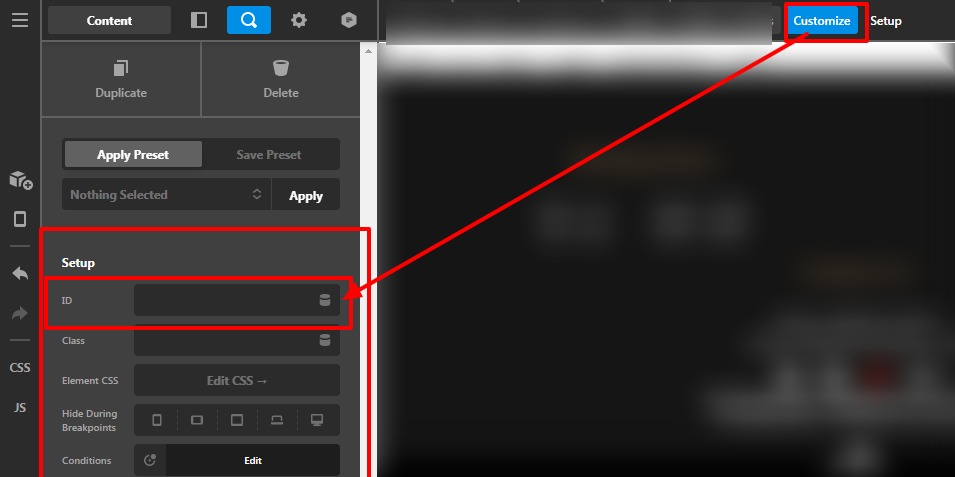
To add the custom ID on any elements or section you need to go to the Cornerstone page builder—>Click on the Magnifier icon—>Click on Customize —>Add your ID on the Id field.
Please have a look at the given screenshot below.
Thanks
This topic was automatically closed 10 days after the last reply. New replies are no longer allowed.