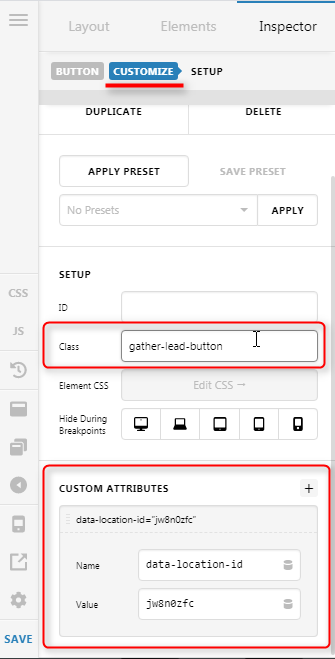
Hi, I’m wanting to create a “lightbox” action with a button using java embed code provided by a third-party software provider. The instructions they sent are:
"
First, paste the following
Second, locate the element or elements on the page that should open the Lead Form. For each element, add the class “gather-lead-button” and add the data attribute “data-location-id” with your Location ID as the value (jw8n0zfc).
For example, if you want an existing link on your website to open the Lead Form, it might look like this:
Click here to book a private event
If you have more than one Location using Gather, you can create multiple elements with different “data-location-id” attributes on the same page. Just make sure they all have the class “gather-lead-button”!
"
I believe I have the javascript input correction in the functions.php, but cannot figure out how to activate the button on our home page.