Hi Guys,
As usual, thanks very much for the help.
One of our clients is using a payment plan company and wants to create a landing page specifically about this payment plan product. All the necessary information and the relevant code to do this is provided by this external payment plan company (in this case a company called zipMoney).
I have added a content area and then inserted the code given by ZipMoney. Code below:
< script type=“text/javascript” src=“https://code.jquery.com/jquery-latest.min.js”>
< script type=“text/javascript” src=“https://d3k1w8lx8mqizo.cloudfront.net/lib/js/zm-widget-js/dist/zipmoney-widgets-v1.min.js”>
< div id=“zip-health-LP” data-zm-asset=“landingpage” data-zm-widget=“inline”>
< center>Learn more about zipMoney & MediPlan HERE
For the purpose of being able to see the code in this thread, I had added the space bar at the start of each line of the script after the < symbol. The code comes without these spaces.
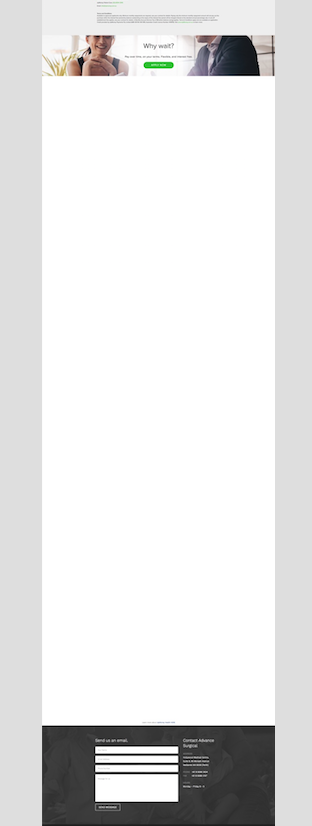
Once I add the script and view the page it turns out like this:
https://www.advancesurgical.com.au/payment-plan-zipmoney-perth/
As you can see, there is a big gap, between the end of the content area (where I have inserted the code) and the end of the page. I cannot figure out why.
Please, can you assist in how to remove this gap and getting it formatted as a normal page?
Thanks very much.
Cheers,
Greta