Adding classes to recent posts

Hey!
Im working on this site, http://2e6.274.myftpupload.com/
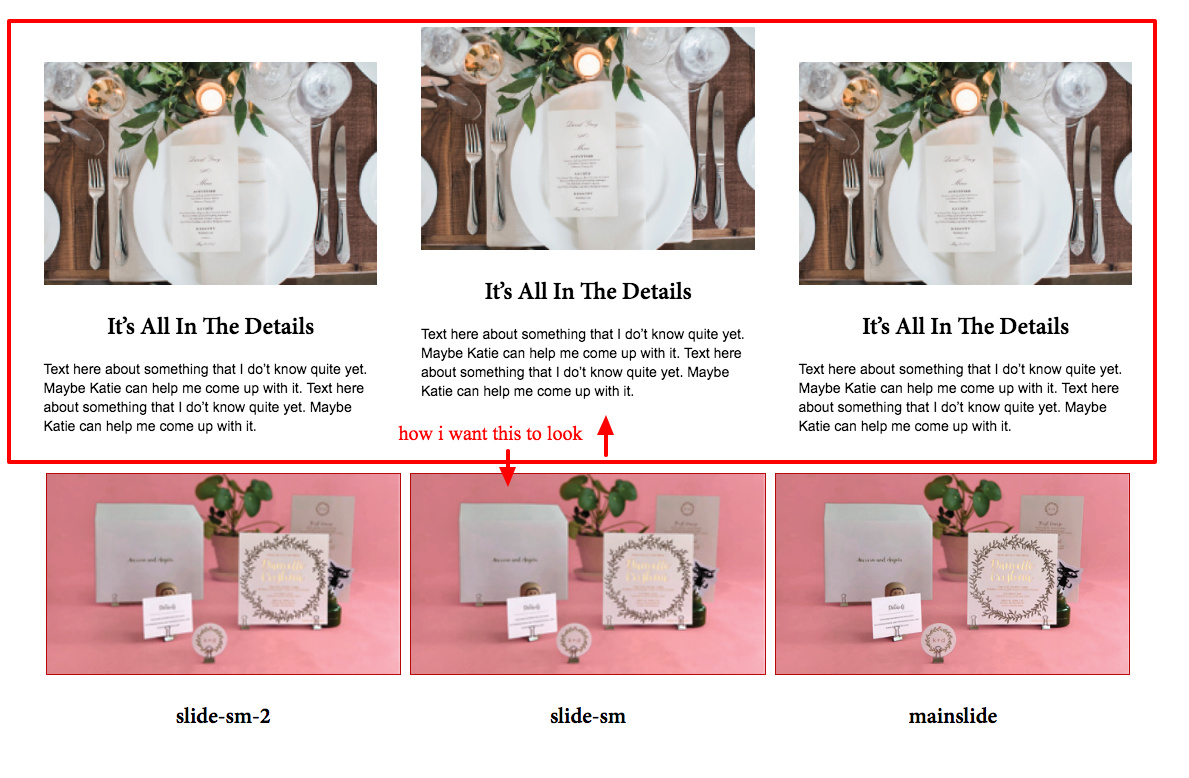
and on the bottom ive created a 3 column row of how I want the row below it containing Recent posts to appear. Im decent at CSS and I went into the inspector and found the middle column of the Recent posts and added a new class and then added a margin so that the middle column is higher above the right and left columns. But how do I actually apply this class? Where would I go to apply a class to a Recent Post?? Or maybe there is a better way to achieve this.
Like I said, I can handle the css part of making this look the same I just need to know where I go to add the classes.

Thanks!!
Rena
Hi There,

Thanks for asking!

You can assign a custom class name to the recent post element, and taking the class as parent class you can target any child element through nth-child CSS attribute.

For example, if you are trying to target the 2nd post, the css would be.

.x-recentpost.customclass a:nth-child(2) {
  /* your CSS goes here */
}

in the place of .customclass you have to add your class name.
If you want to learn about nth-child CSS, here is a reference.

https://www.w3schools.com/cssref/sel_nth-child.asp

Hope this helps!

Thanks

Ohh, the nth child, ive been meaning to learn that. Thank you!

I almost have it identical, however when I hover over the titles:: http://2e6.274.myftpupload.com/ VERY LAST ROW where it says “It’s all in details”, there is a red underline and Ive tried a ton of things to get rid of this. I don’t know where its coming from.

Currently I have:

h3.h-recent-posts:hover {
color:blue!important;
text-decoration:none!important;

}
h3.h-recent-posts {
font-size:2em!important;
}

but the underline is still there. Any idea on why or where its coming from ???

Thanks for your help
Rena

Hi Rena,

That is caused by the code you have added to the Global CSS:

.x-recent-posts a:hover .h-recent-posts {
    color: black !important;text-decoration: underline;
	text-decoration-color:red !important;
}

Try setting the text-decoration property to none instead.

Hope this helps.

This topic was automatically closed 10 days after the last reply. New replies are no longer allowed.