Adding border to rev slider slides

Hi,

I’ve just created a carousel slider with revolution slider and i cant figure out how to add the final touch

Everything on my home page has a 5px padding with a 1px thick grey border around. I want to add this border around the inidivdual slides in the slider.

If you have a look at my homepage you’ll see what i mean. I cant for the life of me figure out how to do it, either in CSS or inside rev slider.

Any help would be great

Cheers

Kev
Hi Kev,

To add the border, try this custom CSS:

rs-slide {
    border: 1px solid #000;
}

Add it on revslider custom CSS section.
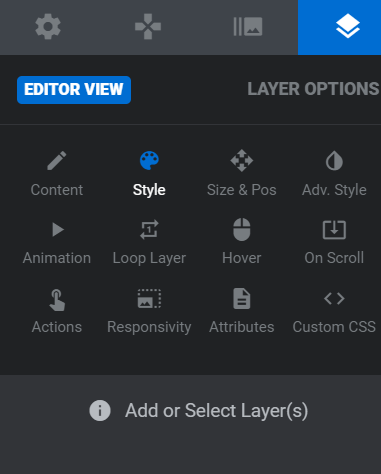
Then for padding, select each layer content. Go to this part:

Scroll down to spacing section. Add the padding.

Hope this helps.

Hi,

I tried to do what you said but nothing seems to work. Is there no way just to add a border to the slide? Seems crazy that there wouldnt just be an option for that. Adding the padding to everything in the slide doesnt make any sense to me. Do I also have to add the custom CSS to every layer too?

Thanks for your help

Kev

I figueed out a way to do it but its not really the way i wanted to. It works though so no worries. Basically just add a shape and give the shape a border on each individual slide. Anybody else looking at this, make sure that you put the shape as the bottom layer as it will break everything else otherwise.

Thanks Lely for your help anyway

Hey Kev,

We’re glad you sorted it out and thank you for sharing the solution with us, I’m sure this will help many.

Cheers!

This topic was automatically closed 10 days after the last reply. New replies are no longer allowed.