In reference to this article: https://theme.co/apex/forum/t/adding-search-to-a-wp-menu/57111
Is there any way to make the search a dropdown instead of a box?
In reference to this article: https://theme.co/apex/forum/t/adding-search-to-a-wp-menu/57111
Is there any way to make the search a dropdown instead of a box?
Hey @simeoned,
Regretfully, no. That would require additional custom coding which would veer beyond the scope of our support. The code provided in the thread is only an example to help users add custom markup to the WordPress menu.
If you’re not aware, you can use the Search Dropdown element anywhere within the builders. You can try adding that into a Global Block and add the block’s shortcode in a PHP function using the do_shortcode function.
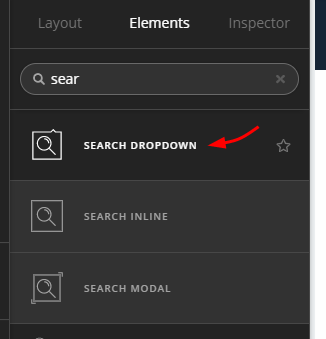

Thanks.
Well, in case any one needs help with thislater… as a workaround, I used the following in functions.php:
// Add Search in Menus (Hidden on desktop via css, shown in mobile layered menu)
add_filter( 'wp_nav_menu_items','add_search_box', 10, 2 );
function add_search_box( $items, $args ) {
$items .= '<li class="menu-item menu-item-type-search_type menu-item-object-search menu-item-custom-search">' . get_search_form( false ) . '</li>';
return $items;
}
and then placed this in style.css:
.menu-item-custom-search {pointer-events: all !important;}

	@media (min-width: 980px) {
		.menu-item-custom-search{display: none !important}
	}

	@media (max-width: 979px) {
		.menu-item-custom-search{display: flex !important}
}Glad you’ve coded the custom function and style. Thanks for sharing.
This topic was automatically closed 10 days after the last reply. New replies are no longer allowed.