 How can I add a border to a column that is offsetted like the one attached?
Hi Jonathan,
Thanks for reaching out.
Is it an image elemen? If now then I’ll provide a generic CSS that should work on all elements. Please inspect your element and add this CSS to it’s Element CSS section.
$el {
border: 2px solid #fff !important;
padding: 20px !important;
}
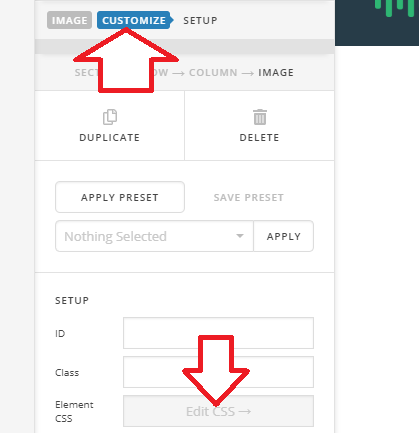
Thanks!
It is not an image element. It is a column with text. I have it set for the column to be filled with a color and text inside the column. Will this still work that way? When I add padding to the column it just fills in the area with the color that I selected (no space before border). Can be seen here about half way down.
I just tried making the background part of the text layer and not the column. Still not working. I can get a border but the transparent white background color goes right up the the border.
I figured out a way…
- add a border the the column
2)add transparent background to text and padding to text.
Is there an easier way with just CSS?
Hi Jonathan,
Since it’s a multiple structure then it’s only possible that way. Glad it’s working now, cheers!
Thanks!
This topic was automatically closed 10 days after the last reply. New replies are no longer allowed.