I’ve added the v2 code to functions.php and added the show_excerpts flag to the shortcode, but it’s not showing up. Please advise.
Hi There,
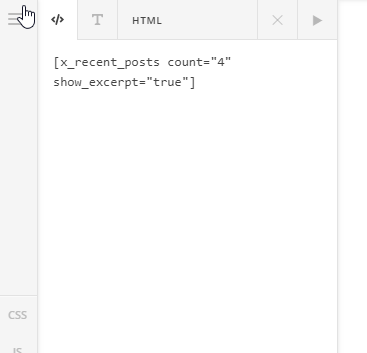
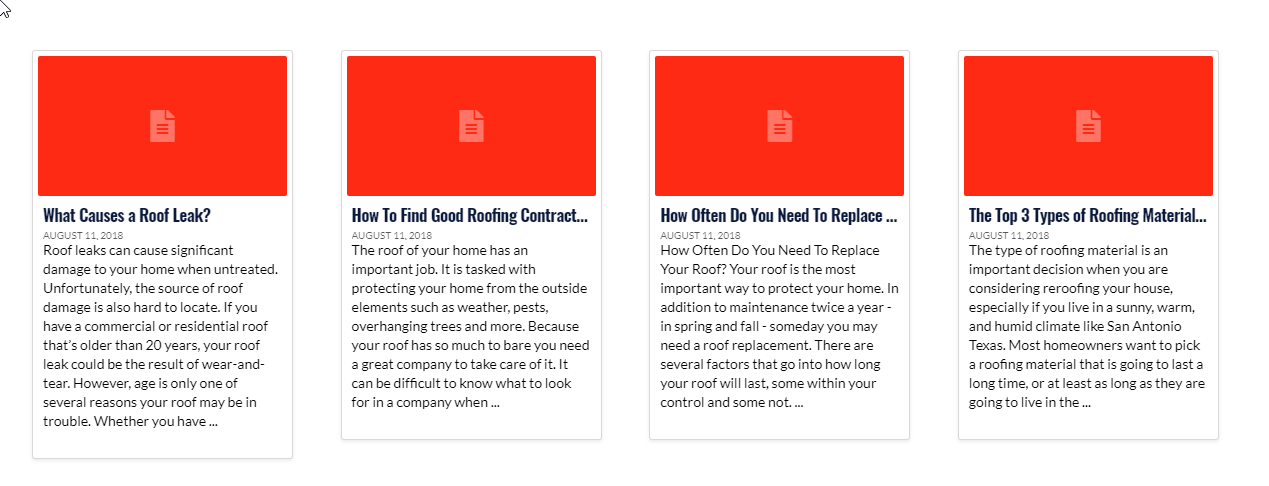
Please add the [x_recent_posts] shortcode to the text element, the classic recent posts element will not override by your custom code because it doesn’t have the show_excerpt option.
[x_recent_posts count="4" show_excerpt="true"]
Regards!
I’ve done it, and it didn’t show. Is there an order in which I have to set the flag? I have quite a few other options (offsets, etc).
This is what I have for shortcode:
[recent_posts count=“1” show_excerpt=“true” no_image=“true” style=“display: inline-block;”]
This is what it looks like (I just want the excerpt below it)
Hello There,
Thanks for updating in!
Please update the code and use this instead:
// Add Excerpts to the recent post element
// =============================================================================
function x_shortcode_recent_posts_v2code( $atts ) {
  extract( shortcode_atts( array(
    'id'           => '',
    'class'        => '',
    'style'        => '',
    'type'         => 'post',
    'count'        => '',
    'category'     => '',
    'offset'       => '',
    'orientation'  => '',
    'show_excerpt' => 'false',
    'no_sticky'    => '',
    'no_image'     => '',
    'fade'         => ''
  ), $atts, 'x_recent_posts' ) );

  $allowed_post_types = apply_filters( 'cs_recent_posts_post_types', array( 'post' => 'post' ) );
  $type = ( isset( $allowed_post_types[$type] ) ) ? $allowed_post_types[$type] : 'post';

  $id            = ( $id           != ''     ) ? 'id="' . esc_attr( $id ) . '"' : '';
  $class         = ( $class        != ''     ) ? 'x-recent-posts cf ' . esc_attr( $class ) : 'x-recent-posts cf';
  $style         = ( $style        != ''     ) ? 'style="' . $style . '"' : '';
  $count         = ( $count        != ''     ) ? $count : 3;
  $category      = ( $category     != ''     ) ? $category : '';
  $category_type = ( $type         == 'post' ) ? 'category_name' : 'portfolio-category';
  $offset        = ( $offset       != ''     ) ? $offset : 0;
  $orientation   = ( $orientation  != ''     ) ? ' ' . $orientation : ' horizontal';
  $show_excerpt  = ( $show_excerpt == 'true' );
  $no_sticky     = ( $no_sticky    == 'true' );
  $no_image      = ( $no_image     == 'true' ) ? $no_image : '';
  $fade          = ( $fade         == 'true' ) ? $fade : 'false';

  $js_params = array(
    'fade' => ( $fade == 'true' )
  );

  $data = cs_generate_data_attributes( 'recent_posts', $js_params );

  $output = "<div {$id} class=\"{$class}{$orientation}\" {$style} {$data} data-fade=\"{$fade}\" >";

    $q = new WP_Query( array(
      'orderby'             => 'date',
      'post_type'           => "{$type}",
      'posts_per_page'      => "{$count}",
      'offset'              => "{$offset}",
      "{$category_type}"    => "{$category}",
      'ignore_sticky_posts' => $no_sticky
    ) );

    if ( $q->have_posts() ) : while ( $q->have_posts() ) : $q->the_post();

      if ( $no_image == 'true' ) {
        $image_output       = '';
        $image_output_class = 'no-image';
      } else {
        $image              = wp_get_attachment_image_src( get_post_thumbnail_id(), 'entry-cropped' );
        $bg_image           = ( $image[0] != '' ) ? ' style="background-image: url(' . $image[0] . ');"' : '';
        $image_output       = '<div class="x-recent-posts-img"' . $bg_image . '></div>';
        $image_output_class = 'with-image';
      }

       $excerpt = ( $show_excerpt ) ? '<div class="x-recent-posts-excerpt"><p style="color:initial;">' . preg_replace('/<a.*?more-link.*?<\/a>/', '', cs_get_raw_excerpt() ) . '</p></div>' : '';

      $output .= '<a class="x-recent-post' . $count . ' ' . $image_output_class . '" href="' . get_permalink( get_the_ID() ) . '" title="' . esc_attr( sprintf( __( 'Permalink to: "%s"', 'cornerstone' ), the_title_attribute( 'echo=0' ) ) ) . '">'
                 . '<article id="post-' . get_the_ID() . '" class="' . implode( ' ', get_post_class() ) . '">'
                   . '<div class="entry-wrap">'
                     . $image_output
                     . '<div class="x-recent-posts-content">'
                       . '<h3 class="h-recent-posts">' . get_the_title() . '</h3>'
                       . '<span class="x-recent-posts-date">' . get_the_date() . '</span>'
                        . $excerpt
                     . '</div>'
                   . '</div>'
                 . '</article>'
               . '</a>';

    endwhile; endif; wp_reset_postdata();

  $output .= '</div>';

  return $output;
}

// =============================================================================

add_action('wp_head', 'change_recent_posts_to_v2');
function change_recent_posts_to_v2() {
  remove_shortcode( 'x_recent_posts' );
  remove_shortcode( 'recent_posts' );
  add_shortcode( 'x_recent_posts', 'x_shortcode_recent_posts_v2code' );
  add_shortcode( 'recent_posts', 'x_shortcode_recent_posts_v2code' );
}
// =============================================================================
And then you may use this shortcode:
[recent_posts count="1" show_excerpt="true" no_image="true" style="display: inline-block;"]
We would loved to know if this has work for you. Thank you.
I’ve added it (as I have before), and it’s not working. Is there another option that would conflict with it? Here’s the entire block in my content area (it’s showing a check mark with some other styling).
<div class="list-item">
  <p class="home-icon" style="color: #00c4eb; float:left; padding: 8px; margin-right:5px; border: 3px solid #00c4eb; border-radius: 100%;line-height: 1;">[x_icon type="check"]</p>
  [recent_posts count="1" show_excerpt="true" no_image="true" style="display: inline-block;"]
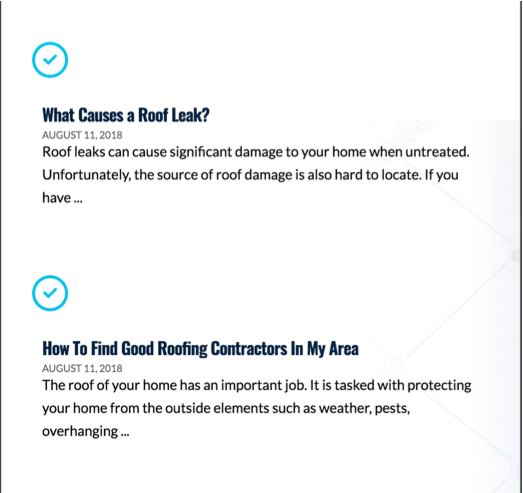
</div>Ok, I’ve managed to get it to work, but my styling is messing up. The icon is breaking the line (instead of being inline next to the title. Any ideas?
Hi,
To make it align, add my-global-block to your global block class field

Then add the code below in Theme Options > CSS
.my-global-block .x-recent-posts {
    width: calc(100% - 50px);
    float: none;
    display: inline-block;
}

.my-global-block .home-icon {
    width: 36px;
    float: none;
    display: inline-block;
    margin-top: 8px;
}
Hope this helps
Awesome. Thanks a million!
You are most welcome. 
This topic was automatically closed 10 days after the last reply. New replies are no longer allowed.