hello I have an info alert that is pointing to an external website and I do not know how to edit it. I would also like the added to cart alerts to come up on the page it was added to cart. How can I do that?
Hello @wicara,
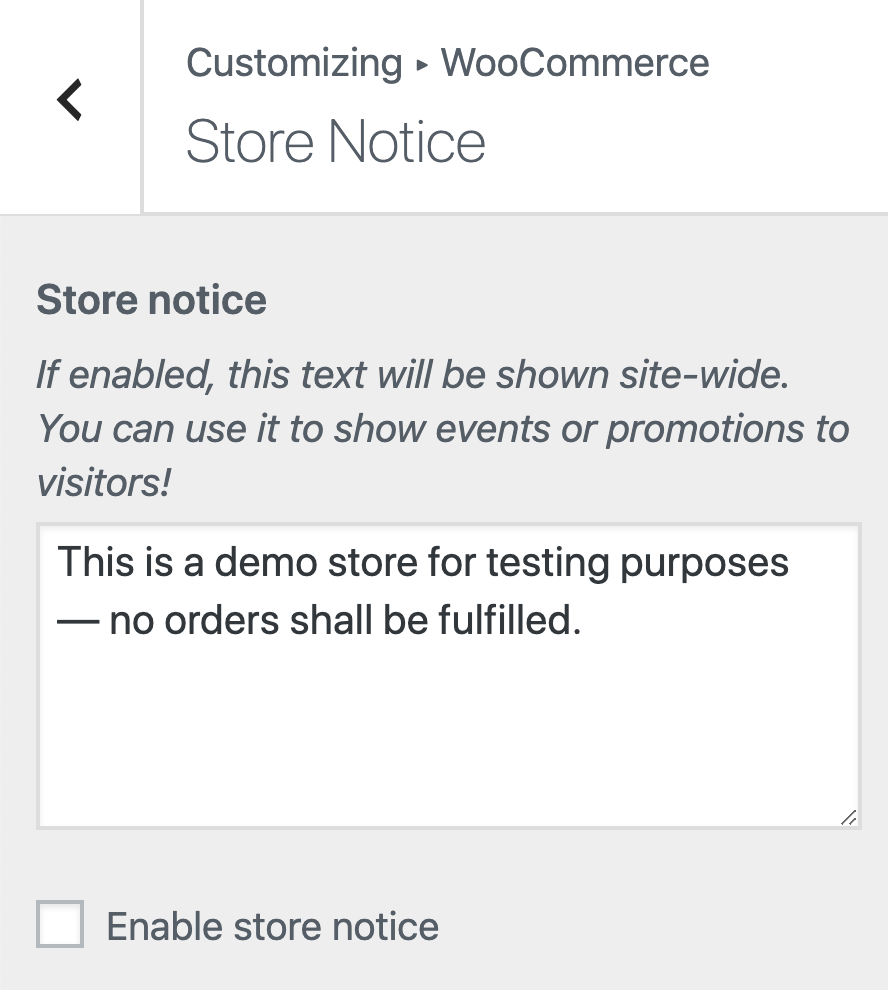
You can change it in WP Admin > Appearance > Customize > Woocommerce > Store Notice.
If you have enabled the Enable AJAX add to cart buttons on archives option in the Woocommerce settings, you will not see a message on the page when you add a product to the cart but a check button indicating that it was successful just like what you can see here.
If the AJAX option is disabled, you will be redirected to the cart page and see the notication there like this:

Hope this helps.
Any chance I can get the message on the page it is clicked as the Ajax does not seem to work on my archive pages and I don’t want the users to go to the check out when add to cart is clicked
Hi @wicara,
The default setup for X if the product has variations would be you will have to click on the Select Options of the product which will redirect you to the product page:

You can see a preview of it here: http://demo.theme.co/shop-integrity/ for the Ship Your Idea products.
It seems that you are using a third party plugin to have the variation selection on the archive page which changes the Select Option button to Add To Cart.
Since this is something that override the default behavior of the theme, it would be best to get in touch with the plugin developer for this as this goes beyond the scope of our support.
Thank you.
Actually it’s minimum Changes to the functions.php but I can’t get the notice to fire when the add to cart is clicked. Pretty sure it should be a simple change just can’t work out which part. Any help is appreciated and not sure why the Ajax doesn’t function but not too worried if I can get the notice to fire in the correct page. It’s useless to us the default way as we sell multiple products with variations
Also just checked the store notice in customiser and it is blank is there anywhere else that I can look?
Hi @wicara,
Regretfully, the Cart widget is not covered in the theme functions. This particular use case requires WooCommerce custom development, please consult with a third party developer for this.
Thank you for understanding.
This topic was automatically closed 10 days after the last reply. New replies are no longer allowed.