Add link to mobile menu programmatically using Header Builder

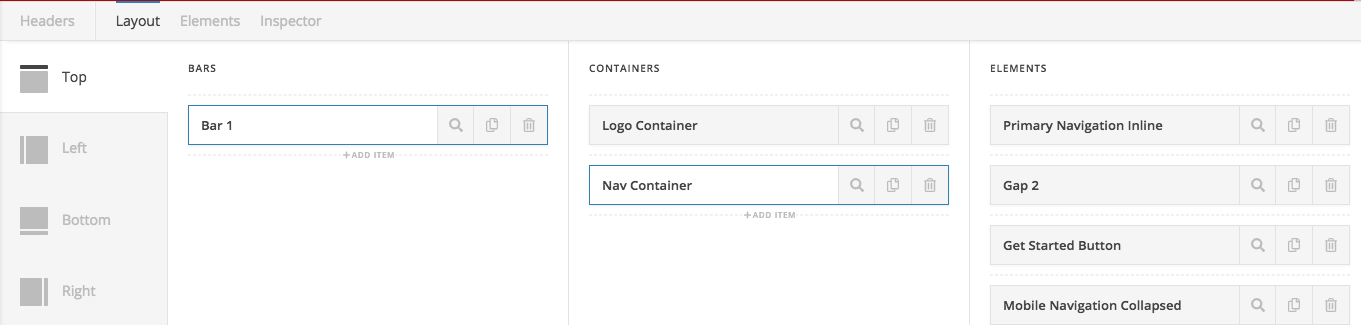
Using the header builder we have a sticky header with logo left and inline navigation (primary) right. Followed by a “Buy Now” button element. The nav and button are hidden on the mobile viewpoint and a navigation collapsed element appears when clicking the hamburger icon.

the menu that appears from the mobile view is also the “primary” menu. I would prefer to not have to create a “mobile menu” so that if future items are added, there is only one place to update…not two.

So, is there a simple way to add an additional link (I can style with CSS to make it appear as a button) to the menu when it appears from off canvas?

Builder Layout:
Desktop Version:

Mobile Mockup (I want to inject the “buy now” button):

Hello @designerken,

Thanks for writing in!

Please edit your main menu in Appearance > Menus and add a custom “Buy Now” menu item. You should add this before the Home menu item and add a custom buy-now menu class as well so that you can easily target it using a custom css. When viewed in desktop, the menu item will be on the right side and on mobile, it will be positioned first before your home menu item.

To know how you can add a custom menu item and add a menu class, please check this out:

Hope this make sense.

@RueNel

Thanks for the suggestion, would you just hide the initial “buy-now” link in the desktop view since it is first it would appear at far left, or is there CSS that you would use to make it end up at the right?

Ah, I got it sorted…since the builder is on Flex I can use the order property. Default is zero, setting it to 1 will place it at the end of the menu.

.buy-now {order:1;}

Hi,

Glad to hear that. Have a great day! :slight_smile:

This topic was automatically closed 10 days after the last reply. New replies are no longer allowed.