I’d like to add a line of HTML code to the navigational element under the 5th column, Your Privacy, in our footer but am unsure where exactly to embed it. It’s supposed to tie into a privacy compliance solution that we’re employing so when a user clicks on that link, a pop up module comes up.

Hi @cling,
Thanks for writing in.
This is achievable using the Content Area Modal element. Please follow the following steps.
- Go to Content Area -> Toggle -> Text -> Text Setup (On the button)-> Primary Text -> Add the text here.
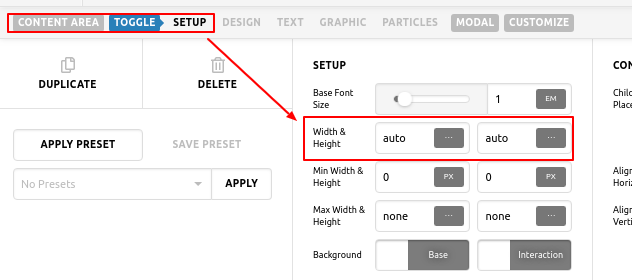
2.Now go to Content Area -> Toggle -> Graphic -> Graphic Setup -> Off the button. - Now go to Content Area -> Toggle -> Set up -> Width & Height -> Set value Auto for Both.
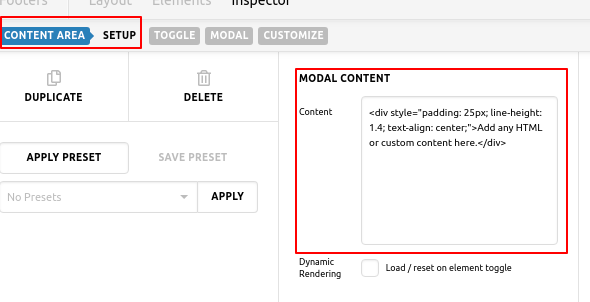
- Now go to Content Area -> Modal Content -> Content -> Add the content of Popup here.
Please check screenshots


Hope it helps you.
Thanks
This topic was automatically closed 10 days after the last reply. New replies are no longer allowed.