Hi, i need a help here,
i would like to add content to site topbar and the menu to left side.
Like this:

I share temporary url with you,this is what i have done till now: http://criarvalor.pt/novo/en/
Hi, i need a help here,
i would like to add content to site topbar and the menu to left side.
Like this:
I share temporary url with you,this is what i have done till now: http://criarvalor.pt/novo/en/
Hi There,
Unfortunately, this layout is not offered by X Out of The Box.
You could try combining A stacked header with topbar content to add your email and language switcher and use out addon Superfly Menu to have the menu on the side.
Hope it helps
Thank you Joao, for the header i edit this file “brand.php” and upload to child theme. For the menu i will follow your advice and try to find a plugin.
Can you help me to get rid of a header line bellow the logo.
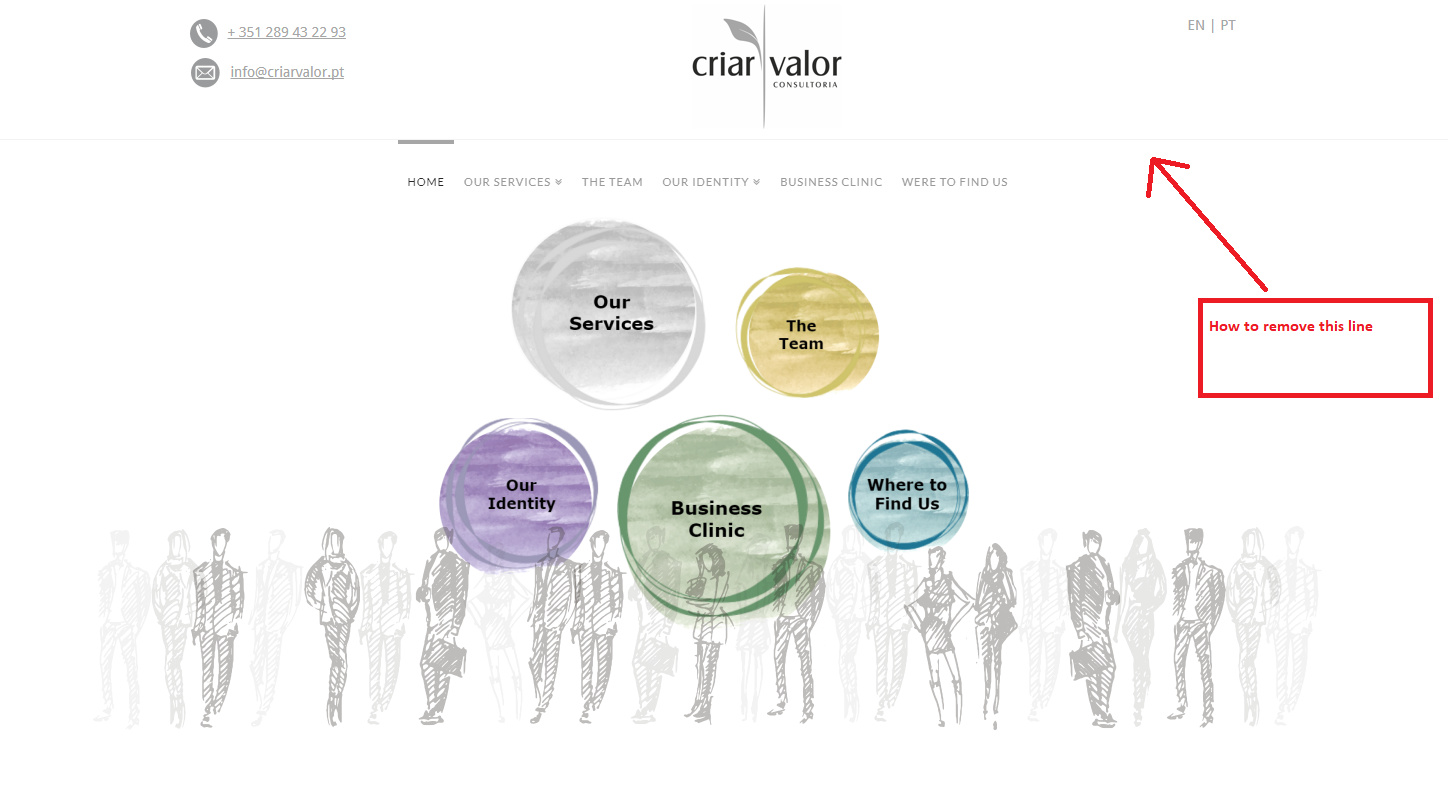
Hey There,
Thank you for understanding. We would love to know how you site goes. By the way, to get rid of the line below the logo, please add the following CSS code in the X > Launch > Theme Options > Global CSS (http://prntscr.com/evui3r)
.x-logobar {
    border: none;
}
Hope this helps. Please let us know how it goes.
Thank you RueNel, it´s working.
On behalf of my colleague, you’re welcome. Cheers! 
Thanks Paul,
need a help to align logo to topbar content.

Hi,
To achieve that, you can add this in Theme Options > CSS
@media(min-width:979px) {
.x-topbar {
    position: absolute;
    width: 100%;
    background: transparent;
}

.x-logobar {
    width: 150px;
    margin: 0 auto;
    z-index: 999999;
}
}
Hope that helps
Thank you paul.r
it´s working.
Glad to hear it!
This topic was automatically closed 10 days after the last reply. New replies are no longer allowed.