Hi there, I would like to add a border to current subemeu items. Any suggestions on how this may be done? thanks!
Hello There,
Thanks for writing in! Which submenu item do we add a border? Does it needs to be in all of your submenu? If your purpose of having a border is to separate the sub menu items, you might want to make use of the column dividers and horizontal dividers. Please check this out:
Hope this helps.

Hey! This is an example of what I would like to do, can you please advise on how it may be accomplished?
Hello There,
Thanks for updating in! To add some borders in the sub menu items, please update the code I have given in this thread (https://theme.co/apex/forum/t/spacing-submenu-items/10435) and make use of this code instead:
.ubermenu.ubermenu-main .ubermenu-tabs-group {
    padding: 5px;
}

.ubermenu .ubermenu-nav .ubermenu-column-full .ubermenu-tab {
    margin-bottom: 4px;
    border: solid 1px red;
}
Feel free to change the border color.
Please let us know how it goes.
That is great, one last question; how do I apply this to the tab content as well?
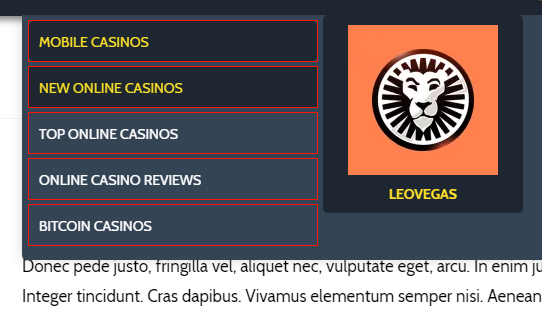
Also, I want to be able to differentiate on current, active (hover) etc… How can this be accommodated? The addition of the border has also lost the radius on the submenu items, how can I avoid this occurring?
Hello There,
To accommodate the active and hover border, you can make use of this code instead:
.ubermenu.ubermenu-main .ubermenu-tabs-group {
    padding: 5px;
}

.ubermenu .ubermenu-nav .ubermenu-column-full .ubermenu-tab {
    margin-bottom: 4px;
    border: solid 1px transparent;
}

.ubermenu-skin-black-white-2 .ubermenu-submenu .ubermenu-target,
.ubermenu-skin-black-white-2 .ubermenu-submenu .ubermenu-active > .ubermenu-target{
  border-radius: 5px
}

.ubermenu-skin-black-white-2 .ubermenu-submenu .ubermenu-target:hover,
.ubermenu-skin-black-white-2 .ubermenu-submenu .ubermenu-active > .ubermenu-target:hover{
    border-color: green;
}
I’ve included the border radius in the code.
Great, I have one last question, how do I give inactive items a border as well?
Hi There,
You can add the following code to Theme Options CSS
.ubermenu .ubermenu-nav .ubermenu-column-full .ubermenu-tab {

    border: 2px solid grey;
}
Hope it helps