ACF Options not showing - Please Help

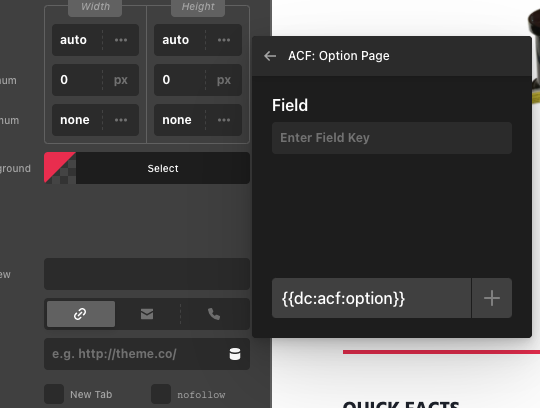
Please Help… I dont see any ACF Options… where do they go? This must be from the update? there are 5 or 6 ACF elements on the page. I used to see a list of those in a drop down, but they are not displaying. Did this move? Am I missing something obvious? It just says Enter Field Key… where it used to show a drop down of available options.

This is happening in any of the Product pages, here is one:
http://popuphitch.uxmediahouse-dev.com/products/sb3-9-inch-offset-square-coupler/
admin-side product name is:
SB3 9″ Offset Square Coupler
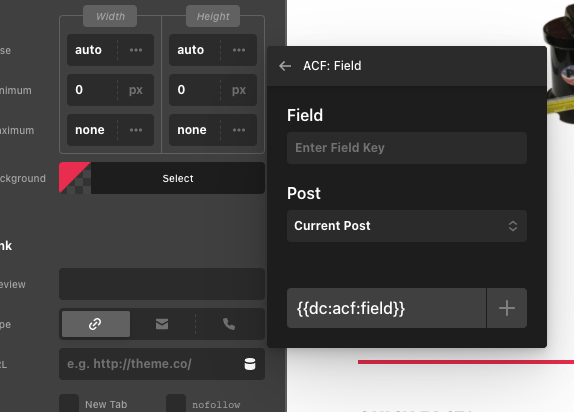
Screen Shot 2021-01-08 at 3.21.06 PM

Screen Shot 2021-01-08 at 3.21.16 PM

Hello Riceman,

Thanks for writing in! Are you editing in the Content Editor or in the Layout Builder? it is best that you find the field names and insert them directly. Go to Custom Fields > Field group.

Hope this helps.

Thanks, I am in the Content Editor. The Pro editor for a specific page.

There used to be a drop down that showed all these elements from the ACF Options, i guess that is gone now? This work around certainly gets the job done, but it was a lot easier to choose from the dropdown list that was automatically populated.

Hey Riceman,

I will pass this on to our development team and they’ll see if the feature will be added in a future release.

Thankk you for your feedback.

1 Like

This topic was automatically closed 10 days after the last reply. New replies are no longer allowed.