I have been trying to get a raduis on the bottom and top corners of my accordion. The next pic shows whaTt I am trying to obtain.

But I keep getting this in bottom pic, where the corners are cut off. Any suggestions?
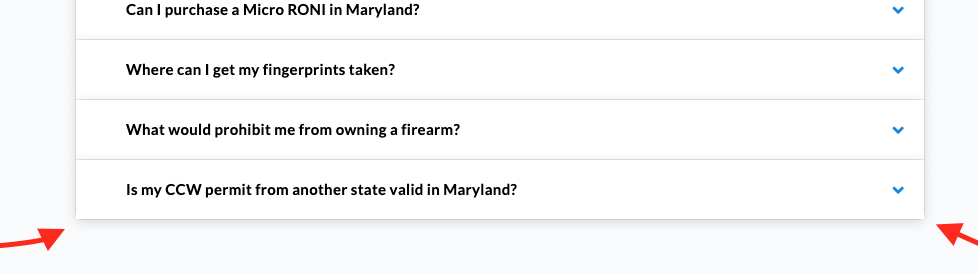
I have been trying to get a raduis on the bottom and top corners of my accordion. The next pic shows whaTt I am trying to obtain.
But I keep getting this in bottom pic, where the corners are cut off. Any suggestions?
Hello @waynepatt58,
Thanks for writing in!
Click the accordion element and in the settings find the item settings, Accordion > Items.
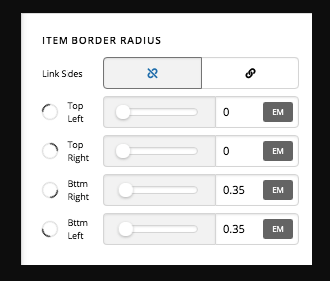
Hope this helps.
Thanks however that changes the radius for every accordion item. I only wanted to change the radius on bottom of accordion and top as in this picture
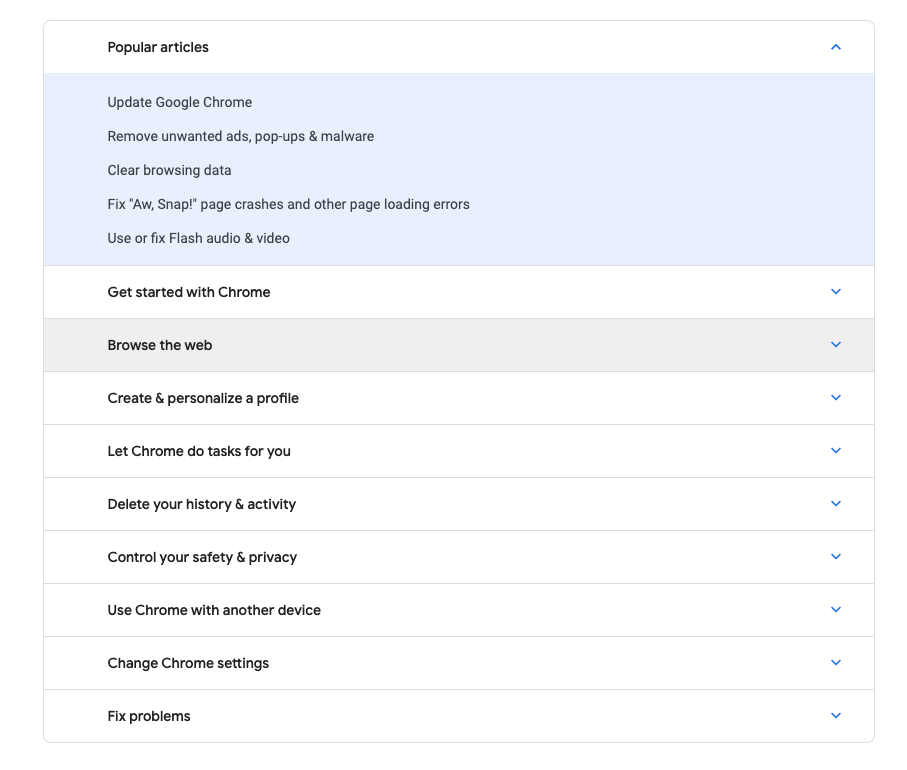
Maybe the only way I can do that is to put radius on section and not the accordion?
Hi @waynepatt58,
We still need to add it on Accordion element. Inspect the Accordion and then click Customize Tab
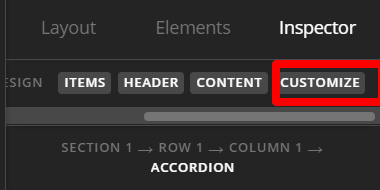
Open the Element CSS and then add the following:
$el.x-acc .x-acc-item:last-of-type{
  border-radius: 0 0 .35em .35em
}
That specific CSS is targeting the last accordion item and then setting bottom left and bottom right border radius.
Hope this helps.
This topic was automatically closed 10 days after the last reply. New replies are no longer allowed.