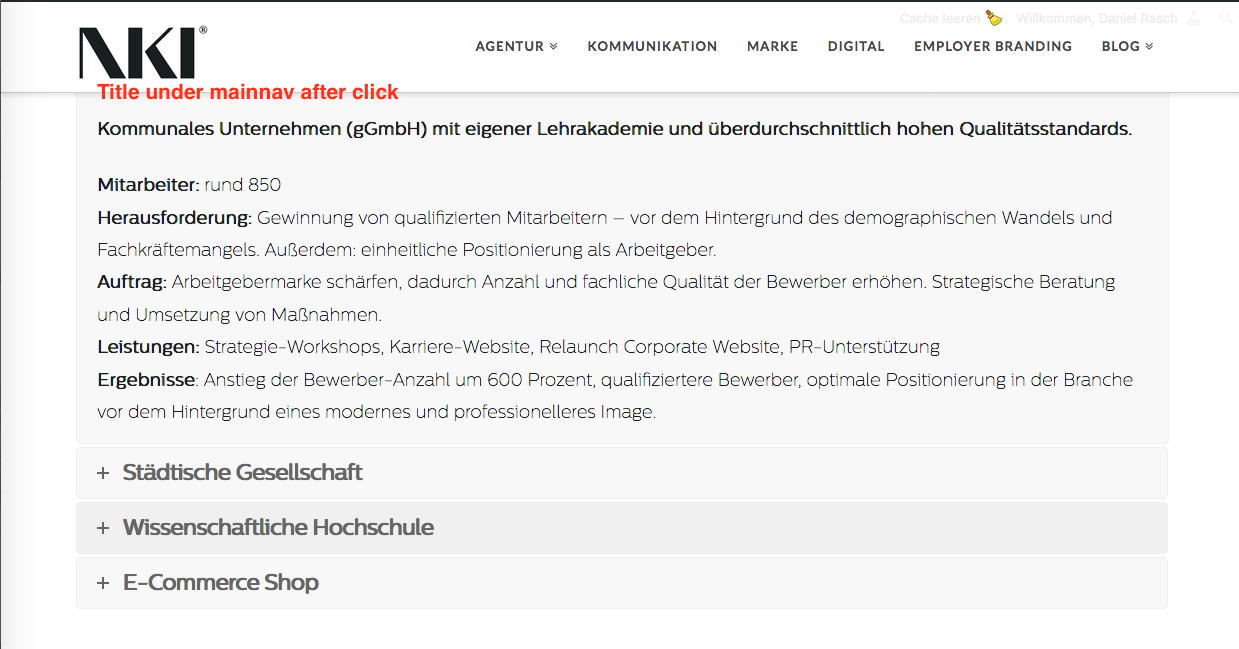
Accordion item title moves behind mainnav

Hi there,
in our installation the accordion doesn’t work 100 % correctly. With the first click on a title this item and title move correctly just under the mainnav, so the user sees both. But after every further click the title moves behind the mainnav and the user doesn’t see the headline/title of the accordion text.

It’s a bug or do I set a wrong option?

Thanks a lot!

Regards
Hello @iknhh,

Can you please share website URL? Looks like you shared the path to the image. Suggest you to upload the image for us to help you.

Thanks.

Hello @Prasant,

thank you very much for the quick help.

Kind regards,
Daniel

Hi there,

Kindly add to JavaScript below to disabled the scrolling effect of the Visual composer by adding the code to ** X > Launch > Options > JS**:

jQuery( function($) {

$(document).on('click', '.vc_tta-panel-heading', function( e ){
$('html, body').stop();
});

});

That will eliminate the wrong calculation of the scrolling while a sticky header is on.

Thank you.

Hi there,

yes, this works. Thank you! It helps for a while.

But it has a little flaw: the scrolling is completely deactivated. So, where scrolling is off, there can’t be a wrong scrolling. :wink: It’s possible to get a accurate calculation of the scrolling with sticky header for the future?
Thank you very much,
regards!

Hi there,

I’ll forward that as feature request :slight_smile:

It’s VC’s native accordion which is different from Cornerstone’s accordion so I can’t guarantee any timeline on this.

Thanks!

Hi there,

ah, this is a comprehensibly explanation. Thank you.

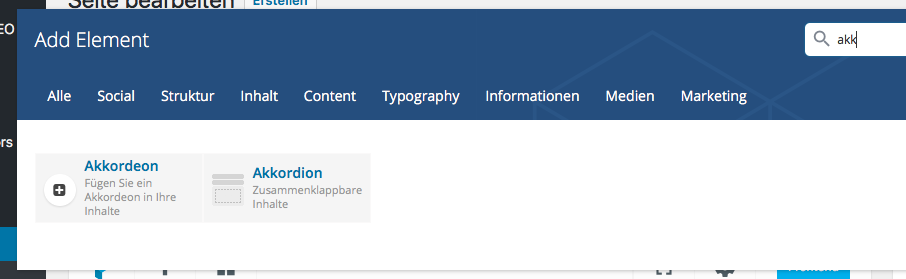
Well, I don’t have to use the VC’s accordion. How could I build in the Cornerstone’s version? We’ve two of those in the menue, but I’am sorry, I can’t remember which one I used…?

Thanks,
kind regards
Daniel

It should be the one on the left with the more generic icon.