Accordion in word press editor

Hello Experts,

I am Creating a post in wordpress, not connerstone.
I tried the below code, which resulted in the following output
[accordion] [accordion_item title=“Accordion Title”]Your text here[/accordion_item]
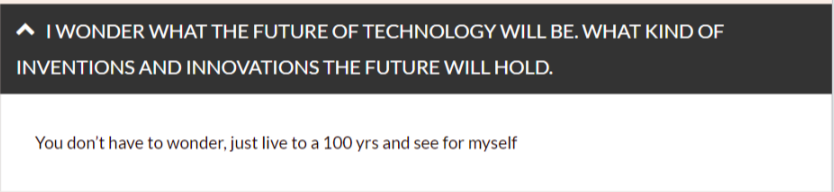
How can i get the output to look like below

Hi There,

Try adding ID on your accordion. Then to change default icon to X, try this CSS:

div#my-accordion .x-accordion-heading .x-accordion-toggle:before {
    content: "\f00d";
    color: red; /* X icon color*/
}
.x-accordion-heading .x-accordion-toggle {
    background-color: white;  /*Heading background set to white*/
    color: red; /*Heading font color*/
    border: 1px solid red; /*Change to your preferred border*/
}

See this: https://fontawesome.com/icons/times?style=solid

Hope this helps

Hello Lely,

I don’t know CSS.

Where in the post[Word press post] should I add this and is the code complete?

Should the above be entered inside this shortcode? [accordion] [accordion_item title=“Accordion Title”]Your text here[/accordion_item]

Thanks in advance!

Hi There,

Sorry for the confusion. This is how you can assign an ID for the shortcode element.

[accordion id="my-accordion"] 
[accordion_item title="Accordion Title" parent_id="my-accordion"]Your text here[/accordion_item]  [/accordion]

Then you can add the the above CSS rules into your Theme Options > Global CSS area.

Hope that helps.
Thanks!

This topic was automatically closed 10 days after the last reply. New replies are no longer allowed.