Is there a way to change the Font/Point size for the accordion header and content sections?
Hi Sean,
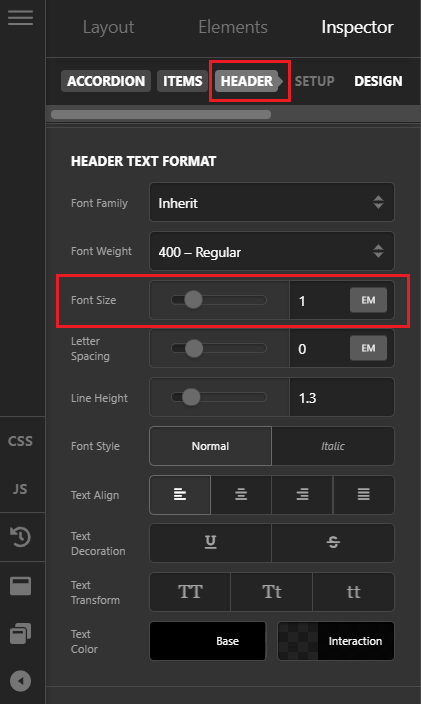
Thank you for reaching out to us. Yes you can change the font size of accordion header and it’s content by inspecting the Accordion element in Cornerstone, navigate to Header tab from the top bar and under Header Text Format you can adjust the settings (see screenshot)
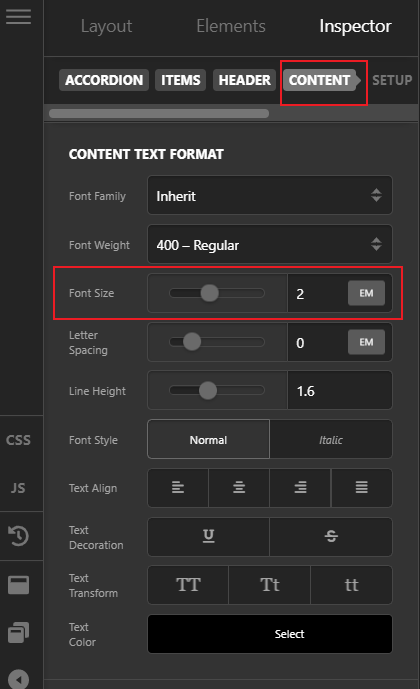
Similarly for the content, navigate to the Content tab and under Content Text Format, adjust the Font Size and other settings as needed (see screenshot)
Hope this helps!
This topic was automatically closed 10 days after the last reply. New replies are no longer allowed.