A letter appears (letter “r”) above my headers (top left)
Please explain where this came from and how to get rid of it.
Thank you
A letter appears (letter “r”) above my headers (top left)
Please explain where this came from and how to get rid of it.
Thank you
Hey @apoweb,
Can you please check if you have added some code or dummy text in header.php? Looks like someone from team may have added/edited header file. You can find header.php file at this path : wp-content\themes\xpro\framework\legacy\cranium\headers\views\global_header.php
If you have difficulties finding the correct file then please provide us FTP login details.
Regards
Hi
Thaks for your Feedback
i went to the path suggested and there is an error log
Call to undefined function language_attributes() in /public_html/wp-content/themes/xpro/framework/legacy/cranium/headers/views/global/_header.php on line 13
This line
<html class="no-js" <?php language_attributes(); ?>>Hi there,
Did you add any customization on the site files? We could have a look and try to find what is causing the r to be displayed so kindly provide us with the admin and the FTP logins to your site in a secured note.
Thank you.
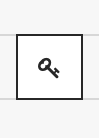
How do i sent a secure note?
Hi There,
Its the button with the key icon
It is also possible that a plugin is causing that wild “r” on your site. Please do testing for a plugin conflict. You can do this by deactivating all third party plugins, and seeing if the problem remains. If it’s fixed, you’ll know a plugin caused the problem, and you can narrow down which one by reactivating them one at a time.
Thanks,
This topic was automatically closed 10 days after the last reply. New replies are no longer allowed.