A little help?

So, I used to use Slider Revolution a lot to create beautiful stuff above the masthead, but I seem to forgotten everything or just don’t understand Slider Revolution anymore. Questions:

  1. Whatever I do, I cannot make the video I want to use Full Screen.
  2. I really want to have a custom menu on this page and so want to create a custom menu and logo in a header and then the slider revolution video below it. Could you help me with that?
  3. I’ve often wondered how to make a website full screen. Is there a way to make the entire website full screen in X?
Hello @chris39553,

Thanks for writing in!

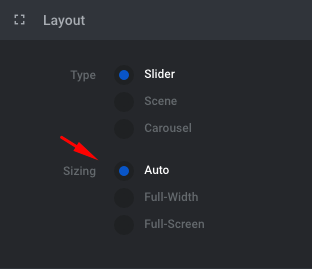
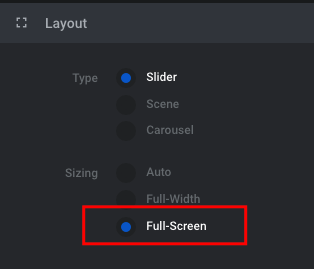
1.) Use only the Fullscreen slider layout if your site settings in X > Theme Options > Layout and Design > Site Layout is set to “Fullwidth”. If you have set it to “Boxed”, it is best that you use “Auto” slider layout instead.

1H33d3UTRtiViR9lXxojSQ

2.) With custom menu, logo and a slider for you header, it is best that you use Pro theme instead. You can utilize the custom header builder to create the customization for the header that you need. To get acquainted with the header builder, please check this out:

3.) To create a fullwidth site, please use “Fullwidth” in X > Theme Options > Layout and Design > Site Layout and then your slider must be set as “Fullscreen”.
ypRIPbefR4mamT6Cx8Xb0w

Hope this helps.

Thank you. I now notice that the menu in the header is too far over on all the pages. Is there a way to move the header a bit more to the middle (it’s currently aligned right). https://cpcmidtown.com/

Hi @chris39553,

Sure, that’s possible but since content and header uses the same max-width, then you’ll have to add this CSS to Theme Options > CSS to make sure it’s specific to header.

.x-navbar .x-container.max {
max-width: 900px !important;
}

You can always change the 900px to your preferred alignment.

Thanks!

This topic was automatically closed 10 days after the last reply. New replies are no longer allowed.