A little help with navigation

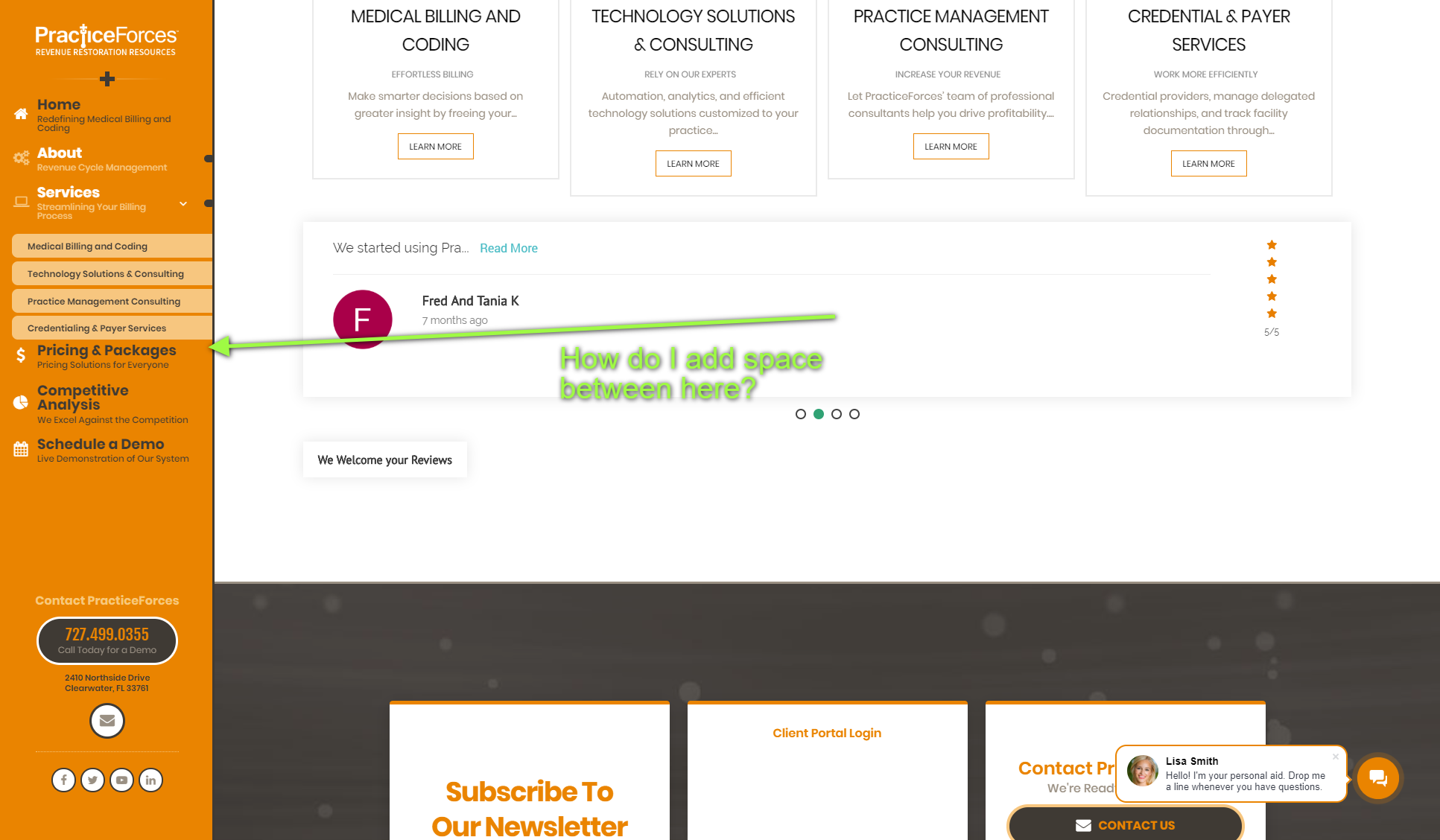
See attached. I can’t seem to figure out how to get these sub nav links vertically aligned to the center of the highlight, and I can’t figure out how to add space after the last sub navigation, so there is some space between that and the next parent link.

Thanks in advance!

Hello @piexec,

Thanks for asking. :slight_smile:

Kindly adjust the sub menu links under header builder to align sub menu links vertically. https://cl.ly/2Q2A2B1C233F

Thanks.

Excellent. Now how do I add space under the sub navigation?

See attached.

Thanks!

Hello @piexec,

Thanks for updating the thread. :slight_smile:

You can add spacing after submenu links by adjusting margin-bottom values under Sublinks > Margin. https://cloudup.com/cx_fs712JSD

Thanks.

I dont need space between ALL the menu items… just here…at the bottom of ALL the sublinks…

See video…

Hello @piexec,

Thanks for updating the thread and sharing detailed video screencast.

Please try adding following CSS under Pro > Theme Options > CSS and let us know how it goes:

.x-menu .sub-menu {
    margin-bottom: 10px;
}

Thanks.

Perfect! Thank you so much!

You are most welcome. :slight_smile:

This topic was automatically closed 10 days after the last reply. New replies are no longer allowed.