Hi,
I can’t seem to get 5 column rows to work as I want them to. In the editor, they show the columns lined up in one row, but when I view them on the browser they are wrapping to the next line. How can I stop this from happening?


Hi Annmarie,
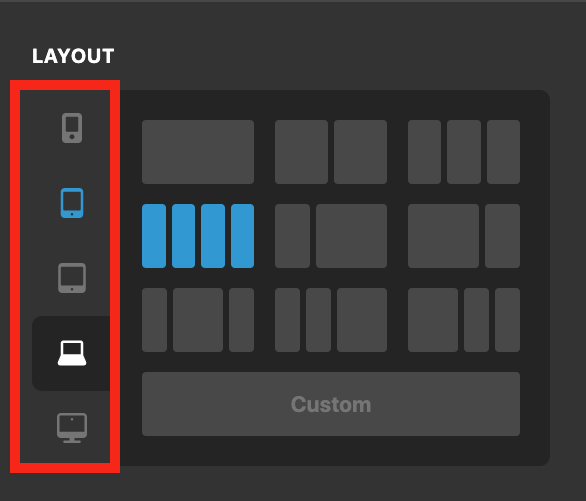
When you check the page with the page builder the left side Layout/Elements/Inspector section makes the window smaller and the website assumes that the browser width is a small laptop, that is why you set thing for that and it works there. If you shrink your browser window on the front end you will see that the five columns will show.
Now, you actually can set the number of columns for different browser width sizes. You need to go to the Row settings that you have the columns and set the number of columns for each device type in the Layout panel:
You can learn more about the tips and tricks of layout creation by reading the article below:
Thank you.
Thanks! I didn’t realize that needed to be set for all browser widths.
This topic was automatically closed 10 days after the last reply. New replies are no longer allowed.