2 inline navigation in column left aligned

Hello,

I have a footer with 2 inline navigations, is there a way to have these one on top of the other both left aligned?

This can be viewed at kelvintopsetdr.co.uk as you can see in the foooter the 2 navs are not in line, the top one is fine but need the bottom one to be aligned under the top one. (menu content was for testing)

Thanks
Scott

Hi Scott,

Thanks for writing in! Could you please try adding the following CSS rule into your Pro -> Theme Options -> CSS area and see if that helps.

footer .x-menu.x-menu-inline {
    align-self: flex-start;
}

Thanks!

Hello,

Thanks for the reply. I have tried your code and it has now put them side by side rather than on top of each other,
I have now solved this by setting up a global block with the elements I need.

Thank you :slight_smile:
Scott

Hi Scott,

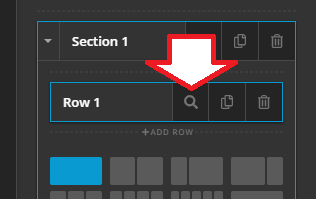
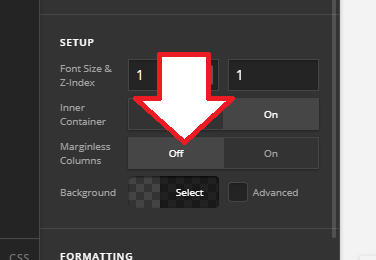
Do you mean just aligning it to the left? Because without that CSS, it’s already on top of each other (stacked). If yes, then please toggle the margin-less option of the section’s row where those menu are added. I believe it’s within the global block builder.

Thanks!

Hi Rad,

Yes indeed, thanks for the reply and help.
I managed to solve this by setting up a global block with the elements I need and inserting this.

Thanks again, have a nice day :slight_smile:

You’re most welcome! Glad it’s working now :slight_smile:

This topic was automatically closed 10 days after the last reply. New replies are no longer allowed.