Tagged: x
-
AuthorPosts
-
November 19, 2016 at 9:53 am #1263640
 maghrabi42Participant
Hello,
I have issue about when add some item to the cart the popup show me some chose about continue or checkout but when i don’t chose any choice and update the page the cart automatically add another item
is a plugin from third party if you can help me for that please
thank youNovember 19, 2016 at 9:54 am #1263641maghrabi42ParticipantThis reply has been marked as private.November 19, 2016 at 9:09 pm #1263980 Rue NelModerator
Hello There,
Thanks for writing in!
Thanks for writing in! It sounds like you might be having an issue with a third party plugin, WooCommerce WooCart Pro. Regretfully, we cannot provide support for third party plugins or scripts as our support policy in the sidebar states due to the fact that there is simply no way to account for all of the potential variables at play when using another developer’s plugin or script. Because of this, any questions you have regarding setup, integration, or troubleshooting any piece of functionality that is not native to X will need to be directed to the original developer.Thank you for your understanding.
November 23, 2016 at 4:26 am #1268039maghrabi42ParticipantHello,
already deactive the plugin of the tired party but is still have issue please if you can check and tell me what’s wrong
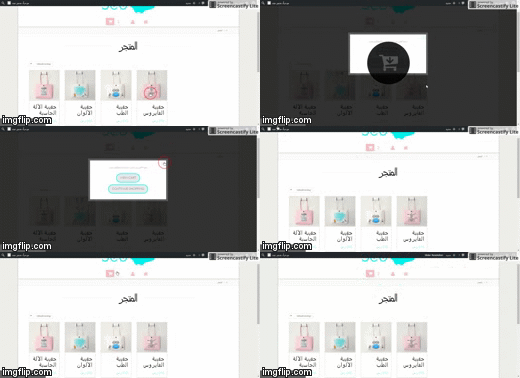
i will explane more about issue when i add smoe item to the cart and directly refresh the page automaticly add another item to the cart, i hope i will be clear
thank youNovember 23, 2016 at 4:42 am #1268056LelyModeratorHi There,
Perhaps you forgot to share your site URL? If it’s part of the screenshot, it is not uploaded because it exceeds 512KB Max file size. Please try to reupload again.
November 23, 2016 at 4:58 am #1268079maghrabi42ParticipantThis reply has been marked as private.November 23, 2016 at 5:09 am #1268090ChristopherModeratorHi there,
I doesn’t happen for me, please see :
Would you please check again and confirm me?
Thanks.
November 23, 2016 at 5:25 am #1268093maghrabi42ParticipantHello,
is not on the shop page check please on main page by using essentail grid
thank youNovember 23, 2016 at 12:08 pm #1268486JadeModeratorHi there,
I tried checking the the essential grid that is on the homepage but I can’t seem to see how to add a new item to the cart from it. Would you mind providing us more info on how to replicate the issue?
Thank you.
November 23, 2016 at 12:38 pm #1268515maghrabi42Participantthank you
November 23, 2016 at 12:40 pm #1268518maghrabi42Participanti try make a gif
November 23, 2016 at 12:47 pm #1268529maghrabi42ParticipantHello,
thank you so much for try fixed my issueNovember 23, 2016 at 12:50 pm #1268531maghrabi42Participantproblem with the size 🙂
November 23, 2016 at 12:54 pm #1268534maghrabi42ParticipantNovember 23, 2016 at 7:52 pm #1268998Rue NelModeratorHello There,
Thanks for providing the screenshot. Every time you add an item to your cart, the url of the shop page will be like this: https://www.example.com/shop/?add-to-cart=154. The url says to add to cart the item number 154. This is the reason why when you reload the page, another item is added. If you want, you can redirect to the basket page after successful addition http://prntscr.com/db24hd
Hope this make sense.
-
AuthorPosts
- <script> jQuery(function($){ $("#no-reply-1263640 .bbp-template-notice, .bbp-no-topic .bbp-template-notice").removeClass('bbp-template-notice'); }); </script>
