Tagged: x
-
AuthorPosts
-
July 6, 2016 at 4:06 pm #1075381
 HTML GlobalParticipant
http://magesandprice.staging.wpengine.com/
I am running Cornerstone 1.3.0
My version of WordPress is 4.5.3I can not get the customizer for my site to function. I tried to disable 3rd party plug ins searched the Knowledge Base and followed “Solutions to Potential Setup Issues: Customizer” but nothing is working. The Customizer begins loading and the X on the screen just keeps spinning but nothing happens.
July 6, 2016 at 9:59 pm #1075825 Rue NelModerator
Hello There,
Thanks for writing in! X 4.6 is now available in automatic updates! This release contains hotfix for several issues so be sure to check out the changelog. Please do update to the latest version. After doing the updates, always remember to clear all caches when updating so that the code from the latest release is always in use. This will help you to avoid any potential errors.
And also Cornerstone and WPEngine doesn’t really go along much. The Cornerstone builder takes place on the front end, in most cases WP Engine tries to cache its resources. This can cause stale data to be loaded. To resolve this, you’ll need to clear the site cache in WPEngine right after saving every changes you made in Cornerstone.
How to purge the site cache
You can use our interactive tutorial, “What should I do if I make changes and they don’t take effect?“, in the User Portal, or you can follow the instructions below.
Purging your site cache is very easy. You just need to know where the button is located:- Long into /wp-admin/
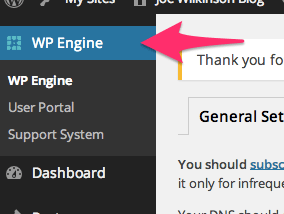
- Click on WP Engine button located at the left top side.
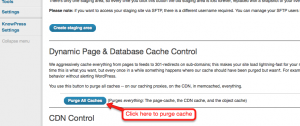
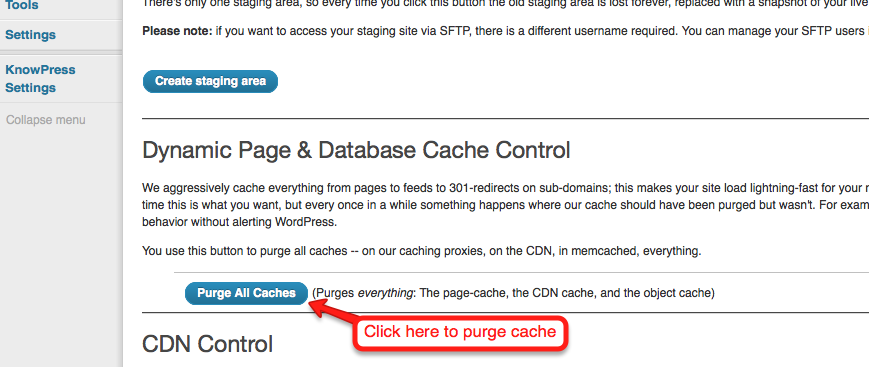
- Click “Purge all caches.”
Finally, clear your browser cache and refresh your page. Once you refresh the page you should notice that the content has updated. If it is still not updating, you may want to consider contacting support by creating a support ticket.To know more about WPEngine caching system, please check it out here: https://wpengine.com/support/cache/
If nothing else works, would you mind providing us the ftp login credentials so we can take a closer look? To do this, you can make a post with the following info:
– FTP Hostname
– FTP Username
– FTP PasswordDon’t forget to select Set as private reply. This ensures your information is only visible to our staff.
Thank you.
-
AuthorPosts
- <script> jQuery(function($){ $("#no-reply-1075381 .bbp-template-notice, .bbp-no-topic .bbp-template-notice").removeClass('bbp-template-notice'); }); </script>
