Tagged: x
-
AuthorPosts
-
January 5, 2017 at 10:02 am #1317450
 cohen611Participant
Hi there.
I have a masonry grid on my site that isn’t sorting by date as expected.
The default sort (by number of likes) works fine and will adjust accordingly when order is reversed. However, when someone sorts by Date it seems to present a random order.
The site is in development but the grid is located at http://writespikesite.wpengine.com/discover/. Use demo and letmein to access the site. It’s WordPress 4.5.4 running child theme of X 4.4.2.
I’ve tried a number of things to resolve the issue including clearing caches, removing and reinstating the sort options, creating a link, etc.
Any help would be appreciated.
January 5, 2017 at 10:30 am #1317488 RahulModerator
Hey There,
Thanks for writing in!
It requires Authentication. Kindly provide us with a proper Username and Password so that we can take a Closer look of it.
Thanks.
January 5, 2017 at 6:48 pm #1318164cohen611ParticipantThis reply has been marked as private.January 6, 2017 at 12:24 am #1318452Paul RModeratorHi,
Masonry Layout works by placing elements/posts in optimal position based on available vertical space.
Please select standard layout if you would like it to be in order by date.
Thanks
January 6, 2017 at 8:14 am #1318823cohen611ParticipantThank you for that response. I’ll let my client know.
Also – We are having issues with the grids not updating with new content. We’ve looked at all the caching and cleared everything we can, but it’s still not updating.
Would you be able to take a look at that or should I open a new thread?
January 6, 2017 at 6:36 pm #1319506Rue NelModeratorHello Again,
Thanks for updating in! In most cases WP Engine tries to cache its resources. This can cause stale data to be loaded. To resolve this, you’ll need to clear the site cache in WPEngine right after saving every changes you made in Cornerstone, in your grids or for your posts.
How to purge the site cache
You can use our interactive tutorial, “What should I do if I make changes and they don’t take effect?“, in the User Portal, or you can follow the instructions below.
Purging your site cache is very easy. You just need to know where the button is located:- Long into /wp-admin/
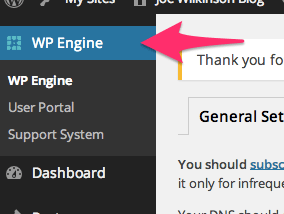
- Click on WP Engine button located at the left top side.
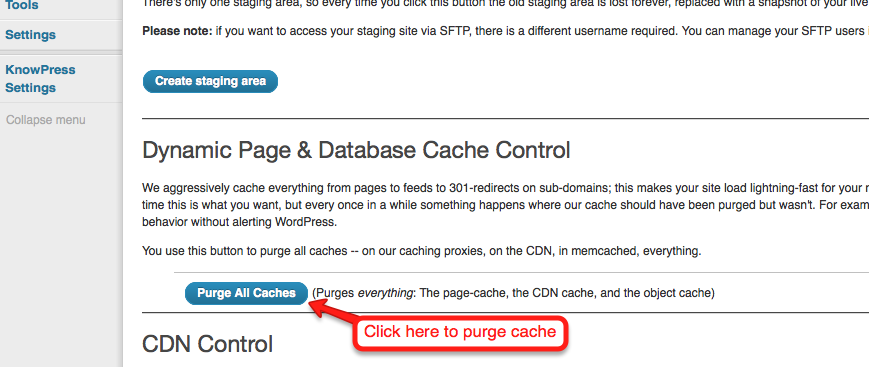
- Click “Purge all caches.”
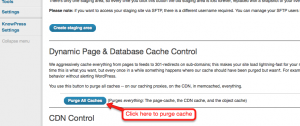
Finally, clear your browser cache and refresh your page. Once you refresh the page you should notice that the content has updated. If it is still not updating, you may want to consider contacting support by creating a support ticket.To know more about WPEngine caching system, please check it out here: https://wpengine.com/support/cache/
-
AuthorPosts
- <script> jQuery(function($){ $("#no-reply-1317450 .bbp-template-notice, .bbp-no-topic .bbp-template-notice").removeClass('bbp-template-notice'); }); </script>
