Tagged: x
-
AuthorPosts
-
September 10, 2016 at 8:19 pm #1169694
 NickParticipant
Hi there !
I want to make a ‘quality page’ with some Structured Data- code snippets. For google & seo.
First Thing to know
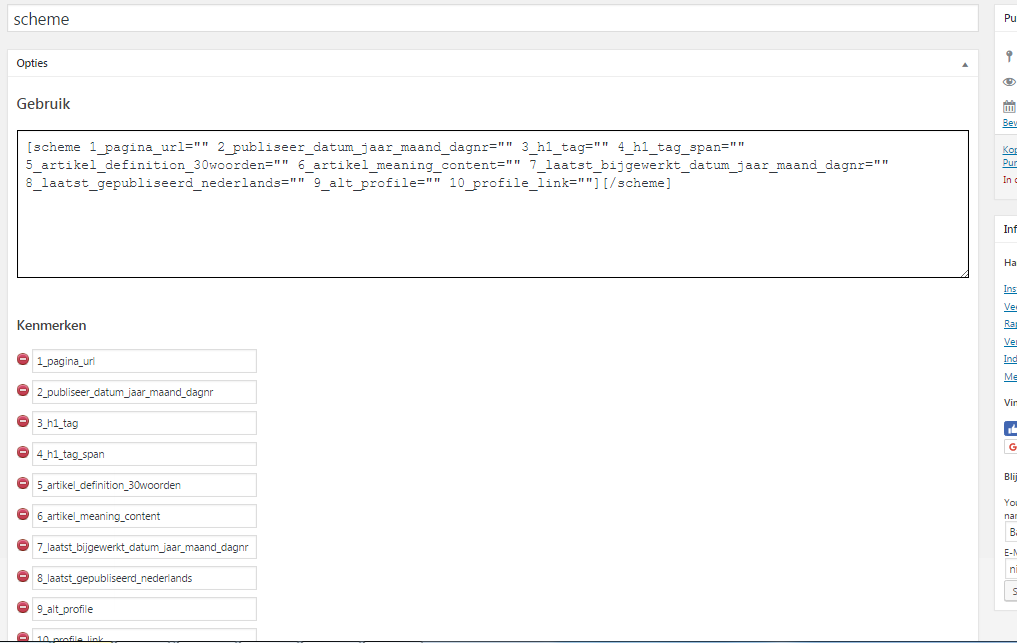
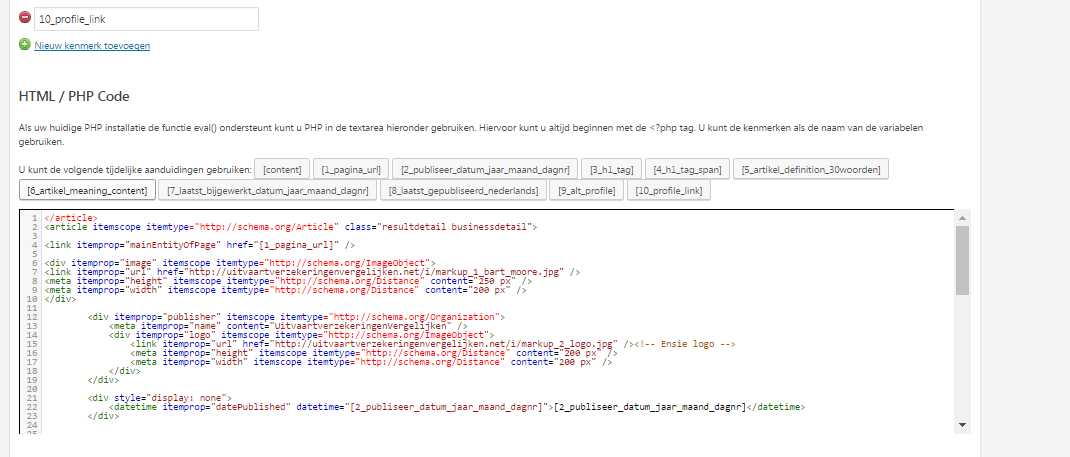
I use a plugin called “shortcodes” to make from html, php and other codes a [shortcode][/shortcode]
Here some screenshots of that pluginhttps://i.gyazo.com/4d9de788cd0fa2f4579b05e334c53866.png
https://i.gyazo.com/2a0d9fe0634085184cfb76dfb5050d13.pngSecond thing to know:
The website URL for what im talking about:
http://uitvaartverzekeringenvergelijken.net/kennisbank/Now i add the shortcode into a post in wordpress. Keep in mind that this is not a shortcode plugin fault, but pure the code
[scheme 1_pagina_url="http://uitvaartverzekeringenvergelijken.net/kennisbank" 2_publiseer_datum_jaar_maand_dagnr="2016-09-11" 3_h1_tag="Kennisbank" 4_h1_tag_span="Sociaal kennis deel platform over de verzekeringen en de uitvaart" 5_artikel_definition_30woorden="Sociaal kennis deel platform over de verzekeringen en de uitvaart" 6_artikel_meaning_content="hallo hoe gaat het <br/> goed en met jou<br/>super goed jhieras dasd asd asd asdasd as da sdriwrihowr <h2>blaaat</h2><hr>" 7_laatst_bijgewerkt_datum_jaar_maand_dagnr="2016-09-11" 8_laatst_gepubliseerd_nederlands="11-09-2016" 9_alt_profile="bart moore" 10_profile_link="http://uitvaartverzekeringenvergelijken.net/kennisbank"][/scheme]I test my page into the markup language tester from google:
https://search.google.com/structured-data/testing-tool
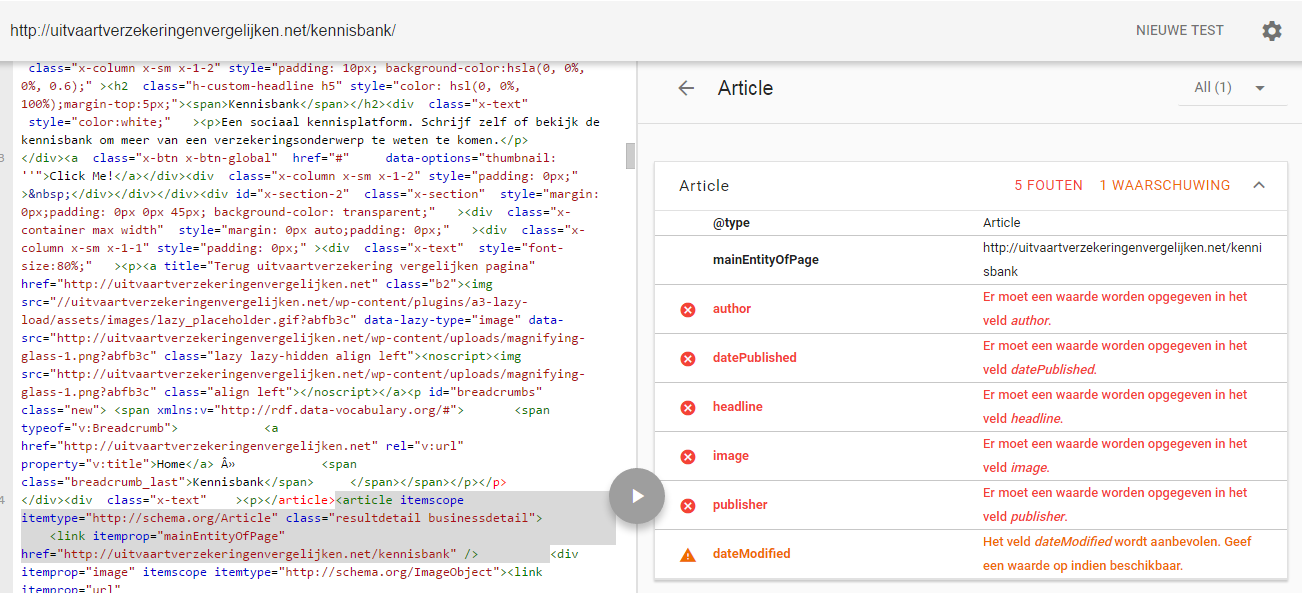
Here you see the result;
https://i.gyazo.com/8c93eb5e8a1eb154ee2ccad1cf10bd19.pngI see 2 different type of <article> type tags. Is it posible to remove the <article> tag
Kind regards,
Nick Walgers
September 11, 2016 at 3:46 am #1169926 Rue NelModerator
Hello Nick,
Thanks for writing in! To remove the article tag in X theme would mean custom development. Since you have your child theme active and ready, please follow the following steps below:
1] Using Notepad or TextEdit or Sublime Text or any text editor, please create a new file in your local machine.
2] Insert the following code into that new file<?php // ============================================================================= // VIEWS/RENEW/CONTENT-PAGE.PHP // ----------------------------------------------------------------------------- // Standard page output for Renew. // ============================================================================= ?> <div id="post-<?php the_ID(); ?>" <?php post_class(); ?>> <div class="entry-wrap"> <?php if ( has_post_thumbnail() ) : ?> <div class="entry-featured mtn"> <?php x_featured_image(); ?> </div> <?php endif; ?> <?php if ( ! is_singular() ) : ?> <header class="entry-header"> <h2 class="entry-title"> <a href="<?php the_permalink(); ?>" title="<?php echo esc_attr( sprintf( __( 'Permalink to: "%s"', '__x__' ), the_title_attribute( 'echo=0' ) ) ); ?>"><?php x_the_alternate_title(); ?></a> </h2> </header> <?php endif; ?> <?php x_get_view( 'global', '_content' ); ?> </div> </div>3] Save the file named as
content-page.php
4] Upload this file to your server in the child theme’s folder
wp-content/themes/x-child/framework/views/renew/And you might also need for the single post;
1] Using Notepad or TextEdit or Sublime Text or any text editor, please create another new file in your local machine.
2] Insert the following code into that new file<?php // ============================================================================= // VIEWS/RENEW/CONTENT.PHP // ----------------------------------------------------------------------------- // Standard post output for Renew. // ============================================================================= ?> <div id="post-<?php the_ID(); ?>" <?php post_class(); ?>> <div class="entry-wrap"> <?php x_get_view( 'renew', '_content', 'post-header' ); ?> <?php if ( has_post_thumbnail() ) : ?> <div class="entry-featured"> <?php x_featured_image(); ?> </div> <?php endif; ?> <?php x_get_view( 'global', '_content' ); ?> </div> </div>3] Save the file named as
content.php
4] Upload this file to your server in the child theme’s folder
wp-content/themes/x-child/framework/views/renew/Hope this helps.
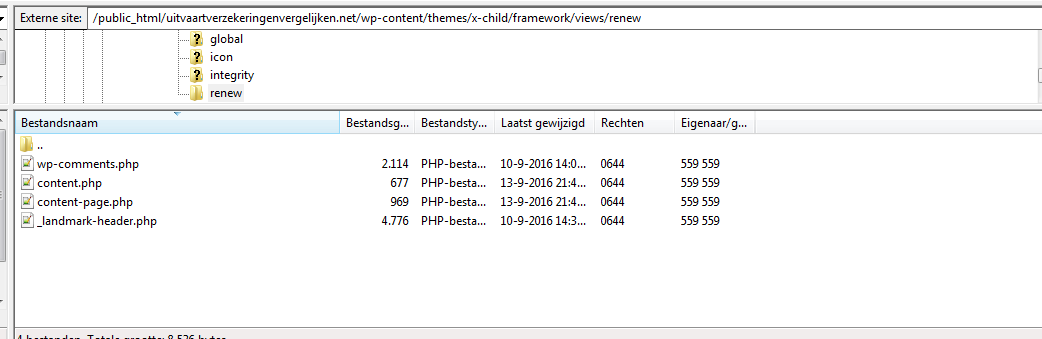
September 13, 2016 at 2:53 pm #1173710NickParticipantHi there,
Damn. I follow your steps, it dont result to something good sadly.
https://gyazo.com/49926f95ba8b1a07acf6f57615b18075
What did i do wrong !?
September 13, 2016 at 2:56 pm #1173712September 13, 2016 at 3:09 pm #1173734NickParticipantNever mind! It works over here: https://gyazo.com/43004b775e872d6eeb5f2a54f591e580
http://uitvaartverzekeringenvergelijken.net/kennisbank
(only with (standard template) in cornerstone backand)
When i insert the optionNo container – header – footer
i get the <article> tag back, but its oke for now
September 13, 2016 at 3:17 pm #1173746JoaoModeratorHi There,
Glad you found a solution that works for you,
Let us know if we can help with anything else.
Joao
-
AuthorPosts
- <script> jQuery(function($){ $("#no-reply-1169694 .bbp-template-notice, .bbp-no-topic .bbp-template-notice").removeClass('bbp-template-notice'); }); </script>