-
AuthorPosts
-
December 3, 2014 at 6:19 am #157351
 Software SParticipant
Hello there,
I’m not sure whether this is an X issue or a Rev Slider issue (or a combination of the two), but I’ll ask the question anyway. I’m using a fullscreen slider at the head of a homepage to display scrolling news items, which works just fine. I’ve set the slider text to pull through the news post titles. The text is white on a semi-transparent dark background to make it readable. All good so far. I’m running into a couple of minor problems that I’d like to tweak if possible. They’re mainly aesthetic.
The wrapping options for the text always leave some extra text-background when the words break onto more than one line. This doesn’t happen when there’s no line break. This is especially true when I’m using max-width parameters. Moreover, max-width reduces the text and the text-background equally when displayed on a mobile, but can get sometimes render the background much narrower than the text on a desktop view. I’m not sure about tablets since I haven’t got one here to try it on at the moment. Any idea what’s going on and how it might be neatened up?
A related issue is the position of the text element on the slider. I’d love for the left edge to be in a more-or-less predictable place, but I can’t for the life of me figure out the right combination of grid-widths plus slider-resizing rules to stop the text moving too far when the screen’s resized. I either end up with it right up against the left edge of the screen on reduced windows or right in the middle of the slider in larger windows. I think this might have something to do with setting the sizes in pixels rather than percentages, but I’m not sure.
Any help anyone could offer would be marvelous. They’re not site-breaking issues, but I’d much prefer them to be neater.
I’ll send site details in a private message.
Thanks in advance,
Adam
December 3, 2014 at 6:21 am #157354Software SParticipantThis reply has been marked as private.December 3, 2014 at 6:22 am #157355Software SParticipantOh, I forgot to mention that I’ll be using a separate slider for phone viewing. There’s a slider already built for that, but not set properly. Once I get my issues sorted for the desktop view I’ll transfer that knowledge to the phone view.
A
December 3, 2014 at 8:09 am #157446 ZeshanMember
Hi A,
Thanks for posting in!
We’d love to help you with this, but regretfully, we have limited support for revolution slider plugin as it’s a 3rd party plugin, that covers it’s compatibility issues with X. So questions related to transitions, animations or how the certain feature of the slider works, would be getting outside the support we can offer.
You can review our Kb article on Revolution Slider for more information.
Thank you for understanding. Take care!
December 3, 2014 at 9:42 am #157503Software SParticipantHello,
I had a feeling that’s what you’d say! Not to worry. It was worth checking.
Have a lovely day
Best Wishes,
Adam
December 3, 2014 at 11:58 am #157599Kosher KMemberThanks for understanding,
You might also want to check revolution slider documentation. http://previous.themepunch.com/revolution_wp/documentation/
They also have a sample demo you can download from here -> http://revolution.themepunch.com/example-downloads/
Pick one that you like and import it on your site and customize to suit your needs.
Have a great day
December 5, 2014 at 3:18 am #158804Software SParticipantHello,
I’ve had this response from ThemePunch:
“Unfortunately because the plugin is included in so many themes we don’t have the capacity to offer support in these cases. The theme’s author is our actual customer. But feel free to let them know they can contact us directly if they’re having trouble supporting one of their customers.”
🙁
I sense a perpetual back-and-forth on the horizon!
Best Wishes,
Adam
December 5, 2014 at 3:16 pm #159115RadModeratorHi there,
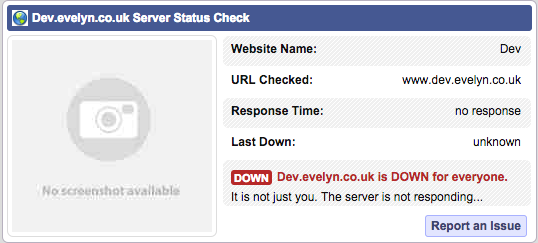
Unfortunately, your site is down for checking.
It sounds like your issue is related to understanding revolution slider’s controls and options. Reading the documentation and while doing trial and error should help.
But I’d like to confirm if it’s your case. Would you mind exporting your slider and provide the url here? And a video recording of your issue.
Thanks.
April 23, 2015 at 8:47 pm #257120 ketanbhallaParticipantThis reply has been marked as private.April 23, 2015 at 10:40 pm #257192RadModerator
Hi there,
Thanks for the info.
It’s not an issue, but how it should be done 🙂
Background images has no connection to its content. So you can’t make them in sync.
What you need to do is use image as layer and not as a background. Since layer moves the same as the other layers.
Hope this helps.
April 30, 2015 at 1:51 pm #262461ketanbhallaParticipantThis reply has been marked as private.April 30, 2015 at 9:39 pm #262763Rue NelModeratorHello There,
You can create a normal page and use the Blank No Container page template so that your slider will display as fullwidth. Once you have created a page with the slider in it, we’ll need you to provide us with your URL of the page. We can then assist you with this issue. This is to ensure that we can provide you with a tailored answer to your situation. Once you have provided us with your URL, we will be happy to assist you with everything.
Thank you for understanding.
-
AuthorPosts
- <script> jQuery(function($){ $("#no-reply-157351 .bbp-template-notice, .bbp-no-topic .bbp-template-notice").removeClass('bbp-template-notice'); }); </script>
