-
AuthorPosts
-
April 8, 2014 at 2:28 am #30977
 Rich AParticipant
I’m running the Icon Child Theme with a static Home Page. I’ve added Visual Composer’s “Recent Posts” 4 column module on the Home Page and it works great but I would like to do two things:
1. Suppress the post date. Now and then we modify the post dates/times to change display order.
2. Show 25 or so characters of the post content with a “More” button or link under the thumbnail (where the post date is currently located). I know there are plugins that will do this, but I’d like to stay within the X Theme eco-system if possible.
I’m running the development environment on a local server and cannot provide a URL, apologies.
TIA!
April 8, 2014 at 1:20 pm #31208 AlexanderKeymaster
Hi Rich,
Sure, we’d be happy to assist here.
1. This can be disabled from Customizer > Blog > Content Just turn off the post meta 🙂
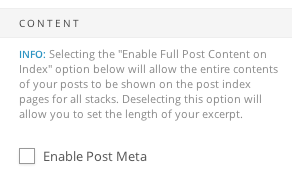
2. This is actually part of WordPress itself. You just need to include a “more” tag in your post.
The toolbar button can be found here:

Or just enter <!–more–> into the text editor
April 8, 2014 at 1:36 pm #31217Rich AParticipantHmmm…I thought that would do it as well, but no…”Enable Post Meta” is unchecked:

Also, as mentioned I’m using VC (for the first time) and am familiar with the <!–more–> tag in normal HTML, but I’m not sure where it would go (or if it would work) in the VC short codes. This is the code for their Recent Posts module:
[/vc_column][/vc_row][vc_row no_margin=”true” padding_top=”0px” padding_bottom=”0px” border=”none”][vc_column width=”1/1″][recent_posts type=”post” count=”4″ orientation=”horizontal” category=”Announcements”][/vc_column][/vc_row][vc_row padding_top=”0px” padding_bottom=”10px” border=”horizontal”][vc_column width=”1/1″][text_output]
Welcome your thoughts on both items again :).
Thanks for the speedy response!
April 8, 2014 at 4:35 pm #31310Rich AParticipantHi again. I was cruising around the forum picking up all sorts of valuable info when I came across what I believe is an answer to my original question on this post http://theme.co/x/member/forums/topic/homepage-after-multiple-categories-and-sections-but-with-default-masonry-blog/
I’ve taken a look into this. I’m sorry, there isn’t a way to customize the recent posts output. It’s limited to the post image, title, and date.
So it looks like I’m going to have to drop Visual Composer and do things the old fashioned way if to get the desired results.
Thanks for checking though!
April 8, 2014 at 4:37 pm #31311Rich AParticipant“…if to get the desired results.”?! See, this is where being able to edit a post would come in very handy. 😉
April 9, 2014 at 10:22 am #31573ChristianModeratorYou’re welcome Rich.
-
AuthorPosts
- <script> jQuery(function($){ $("#no-reply-30977 .bbp-template-notice, .bbp-no-topic .bbp-template-notice").removeClass('bbp-template-notice'); }); </script>
