Tagged: x
-
AuthorPosts
-
July 19, 2016 at 6:00 pm #1094300
 Christina rParticipant
Hi!
I am customizing the Agency demo site and i want to use a tile for the header but it is not working? i winder what setting I am missing?
http://screencast.com/t/Wry2yLpbOPThanks for help,
brandingforpros.com
ChristinaJuly 19, 2016 at 8:02 pm #1094494Christina rParticipantThis reply has been marked as private.July 20, 2016 at 1:03 am #1094826 ChristopherModerator
Hi there,
#1 Please add this CSS:
.x-logobar, .x-navbar {
    background-color: transparent;
}
#2 Please check this link : https://community.theme.co/kb/how-to-setup-galleries/
Hope it helps.
July 20, 2016 at 9:37 am #1095367Christina rParticipantHi!
Thank you for css works great.
Regarding portfolio: I am not seeing the Featured media Option? http://screencast.com/t/YVia9LwggX2 and http://screencast.com/t/sm00kzmk0b
Christina
July 20, 2016 at 10:55 am #1095457Nabeel AModeratorHi again,
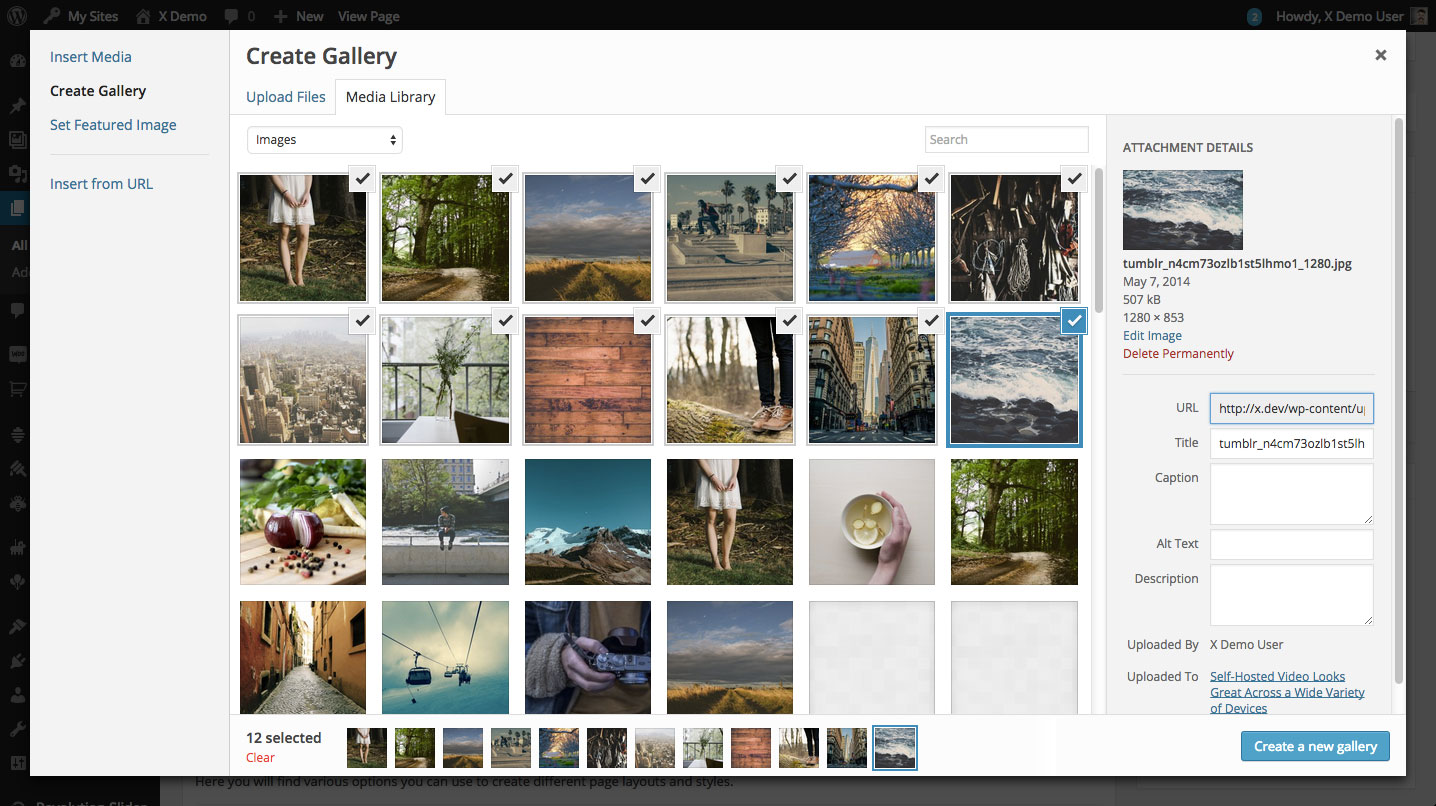
To begin setting up your gallery with the WordPress Media Manager, you’ll first need to select the Add Media button to the top left of the WordPress page editor.

Once you have selected that button, you should see a modal appear on your screen. Depending on whether or not you’ve already uploaded some images into your media library it might look a little different than below, but you’re on the right track so don’t worry. Next, click the Create Gallery link in the left sidebar and then select the images that you’d like to include in your gallery. Once you’ve done that, it should look something like the following image:
Hope this helps!
July 20, 2016 at 10:59 am #1095461Christina rParticipantHi
Yes, thank you…I get that part and did that. I have the gallery short code in place. I am referring to this box:
http://screencast.com/t/sm00kzmk0bChristina
July 20, 2016 at 11:35 am #1095534RupokMemberHi Christina,
It will vary from Stack to Stack due to different design. For example, let’s select “Renew” stack and you will see this option. It’s not available on Ethos. So you will see the options that’s exists for your selected stack.
Hope this makes sense.
July 20, 2016 at 4:22 pm #1095928Christina rParticipantHi!
So you are saying that using Ethos there is not way to created a gallery with the Featured Image?
Christina
July 20, 2016 at 8:43 pm #1096250NicoModeratorHi There,
Regretfully, this integration of stacks request is outside the scope of our support as this is not related to an issue with the theme and instead has to do with your customization of it. As such, you will need to investigate this particular issue on your own or seek help from a developer should you not feel comfortable making these changes yourself. If you have any further questions about the theme, we are more than happy to provide you with assistance on these inquiries.
Thank you for your understanding.
July 21, 2016 at 2:10 pm #1097435Christina rParticipantThis reply has been marked as private.July 21, 2016 at 7:28 pm #1097881FriechModeratorHi Christina,
You can have a media gallery in place of the featured image by setting the Media Type to Gallery. Simply upload your images while you’re editing your portfolio post and that will automatically create a slider base on those images you upload.
Now the Featured Content option is not available on Ethos. What it does is replace the featured image with the media (gallery or video) on the Portfolio index page. If that is what you’re looking for then I’m afraid that would require a custom development.
Hope this shed some lights.
Thanks.
-
AuthorPosts
- <script> jQuery(function($){ $("#no-reply-1094300 .bbp-template-notice, .bbp-no-topic .bbp-template-notice").removeClass('bbp-template-notice'); }); </script>
