Tagged: x
-
AuthorPosts
-
October 9, 2016 at 8:59 am #1208823
 BassemParticipant
Hi,
I have a custom taxonomy called “location types” assigned to a custom post type called “locations”
I want to use the same landmark (as shown in the below screenshot) for it.
would you please tell me how to do it.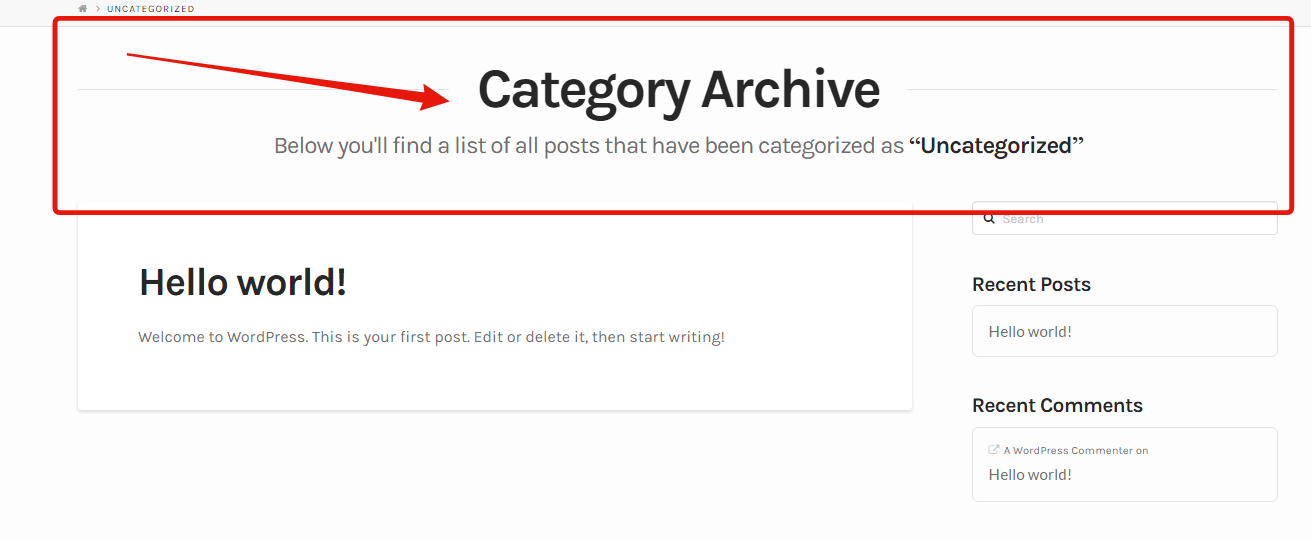
I think it is in the “_landmark-header.php” file.
BTW, I have copied all the necessary files to my x child theme, and I’m using integrity.Thanks
October 9, 2016 at 9:50 am #1208868 ChristianModerator
Hey there,
Yes, you’ll need to use the landmark header file and add an
endifblock for your post type like the existing category header<?php elseif ( is_category() || x_is_portfolio_category() ) : ?> <?php $meta = x_get_taxonomy_meta(); $title = ( $meta['archive-title'] != '' ) ? $meta['archive-title'] : __( 'Category Archive', '__x__' ); $subtitle = ( $meta['archive-subtitle'] != '' ) ? $meta['archive-subtitle'] : __( "Below you'll find a list of all posts that have been categorized as ", '__x__' ) . '<strong>“' . single_cat_title( '', false ) . '”</strong>'; ?> <header class="x-header-landmark x-container max width"> <h1 class="h-landmark"><span><?php echo $title ?></span></h1> <p class="p-landmark-sub"><span><?php echo $subtitle ?></span></p> </header>You can add your code after the
x_is_buddypressblock.Thanks.
-
AuthorPosts
- <script> jQuery(function($){ $("#no-reply-1208823 .bbp-template-notice, .bbp-no-topic .bbp-template-notice").removeClass('bbp-template-notice'); }); </script>
