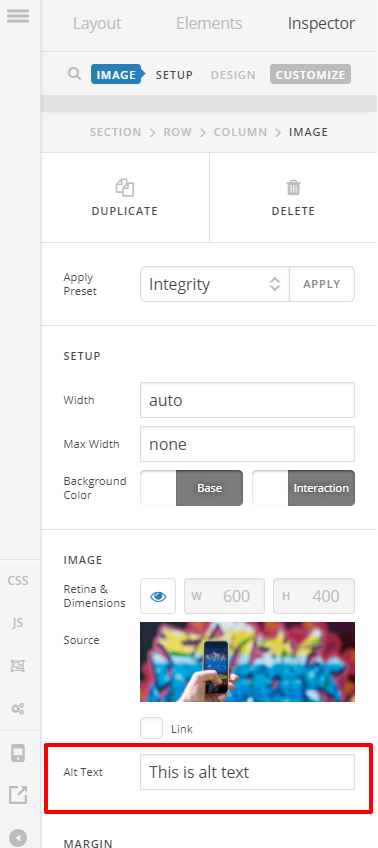
I recently updated from X to Pro, and I’m uploading a new blog post using the Pro editor for the first time. I’m getting the hang of it thanks to other threads posted here, but something I just noticed is that the field for Alt text on an Image is no longer showing up. Found another thread about it here, but there didn’t seem to be a resolution.
In that thread I linked to above, the staff member noted that the Alt text field is still available in Dashboard > Media. That’s true, I just confirmed on my end. But I think he missed the point that it’s no longer showing up when you’re actually in the Pro editor using an Image element to upload a new image. There’s a screenshot in that thread, but here’s another: https://i.imgur.com/luxZmO9.png
As I was writing this post, I also decided to check the source code on the page (it is published live, not a draft), and it seems the Alt text is no longer showing up at all. Screenshot of that here: https://i.imgur.com/GkCW0zE.png
Possibly a bug, or was this intentionally designed this way? It’s not the end of the world if I have to go to Dashboard > Media to input my Alt text, but when it doesn’t physically show up on the page, that’s not good.
Please advise.
Thanks,
Cory