Hi
I’m trying to make the 3 icons (visibility, consulting, membership) take up equal space. At the moment there are different sized gaps between them.
I have tried to specify width in pixels in the container but it isn’t making a difference.
Any ideas appreciated.

Hi @lisacole1,
The uneven space is due to the content text of each column, I would suggest you set the column width to a minimum fixed width to get the equal-sized column and which may fix your issue.

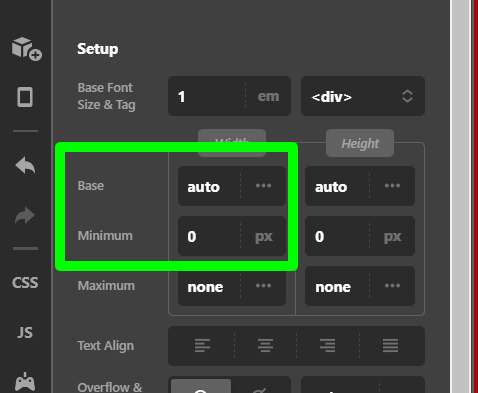
Hope it helps.
Thanks
thank you, I can’t find that setting.
I have 3 containers, each with an image and a text box in a column.
I have tried clicking on the magnifying glass for the container and the text and image and I don’t see settings like that.
Hi @lisacole1,
Set the max-width of those 3 containers to 120px currently you set them to 200px so just update that to 120px.
Also, on those containers in the Self Flex option select Custom and the Flex Grow to 1 (https://prnt.sc/133z65h)
If nothing works, please provide us login credentials in a “Secure Note” so we can take a closer look.

Hope it helps,
Cheers,
you total superstar, all sorted now. Huge thanks! Have a gorgeous day
We are delighted to assist you with this.
Cheers!
This topic was automatically closed 10 days after the last reply. New replies are no longer allowed.