E&P Form not working

Hi,

I’m building a new form in E&P Form Builder. Though the form in progress does work when previewed in the form builder itself, it doesn’t work on the page that the form will be added (http://fitklub.nl/new/fitklub-abonnementen/): clicking the button does nothing. What might cause this?

Hi there @yingfuli,

Hope you’re having a great day!

I’ve checked the issue out and see there’s a couple of JS errors on the page which is preventing the Javascript from running on click (https://monosnap.com/file/8Z31hcQA1GwM6fZ3m9EntDUM2wLlqB#)

I tried to replicate on a development environment without much luck, does the exact same form work on any other pages? Such as a plain page with no other elements etc loading.

Thanks!

Hi,

It does work on a plain page: http://fitklub.nl/new/test/

Could this also be related to this problem: https://theme.co/apex/forum/t/menu-not-active-on-all-pages/1435 ?

Hi,

Would you mind providing us with login credentials so we can take a closer look? Please provide following information:

Set it as Secure Note

  • Link to your site
  • WordPress Admin username / password
  • FTP credentials

All the best!

Hi there,

Thank you for the information. I did another test and it resulted in an interesting way. I cloned the same page which you had the problem with and it seems the form is working ok. I am not sure if the form is working ok but the result was this:

I wonder if just cloning the page fixed the issue?

Not on my end, anyway. Both the original page as the one you cloned don’t work on my end (Safari and Firefox).

All I can think of is that the form conflicts with the PHP that is further on the page (the subscription form).

Hi there,

After spending more than 30 minutes I finally found the culprit.

The problem is not the E&P plugin. It is the custom code which you have added in the page.
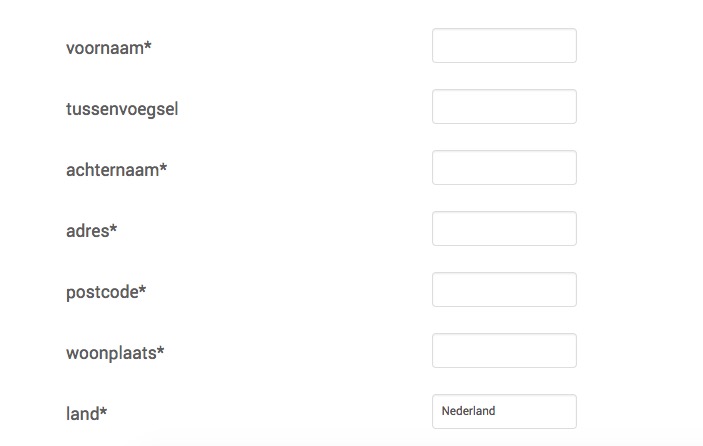
On that code, the jQuery is added as a script which should not be aded as already Wordpress and X has the library.

Secondly, the script is added to that Raw element content directly with $ signs to access jQuery object. That is not correct. You need to add any kind of JS code in the JS option of that page at the left side of the Pro editor screen:
On that screen you should strip out >script> tag and use $ you need to wrap the jQuery object using a code like this:
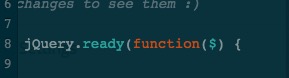
I added the code there with the wrapper in the cloned page and it is now working ok.

Please kindly always double check the codes you paste from outside sources first for the compatibility before any action regarding the plugin conflicts.

Thank you.

Hi,

I figured it had something to do with the custom code on that page.

Thanks for clearing it up!

You are most welcome. :slight_smile:

This topic was automatically closed 10 days after the last reply. New replies are no longer allowed.