I have a previously existed menu for our website, however, when creating the menus for our mobile part of the website they are not working correctly. When I go to create a new menu for the location we just added … I added LA menu in, every time I try to place the main headers and the subject headers below them it reverts back to them all under 1 menu. I am not sure why it is doing this because I save my work after it’s done and I am unsure how to attach it to the correct page. Picture shared below in the file under “saved menu” and “after I saved menu” https://drive.google.com/drive/folders/1uDnX07bJX1qwC__1jpqL_HGp47ZuoR5K?usp=share_link
Hello Ashley,
What is the name of the menu you just created? Which page do you want this menu to display?
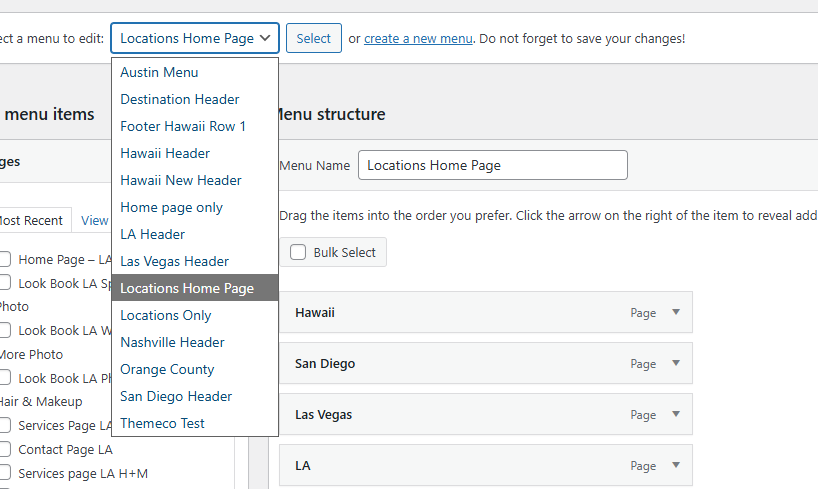
Could you concentrate on which page and what menu should be displayed? If you want to display a sitewide menu, you may need to edit all your custom Headers and assign the newly created menu.
Best Regards.
I have created the Austin Menu and LA Header. and I. want them to display the LA and Austin home pages, just like all of the other location headers. They should all be the same.
These are our two new locations. and they are not linking correctly on MOBILE. Every time I try save these menus they completely revert back to the version before I saved. Please advise.
Hello Ashley,
I have checked your Austin and LA pages. I checked the mobile menu. It links to the pages correctly. I even checked the site pages on my phone.
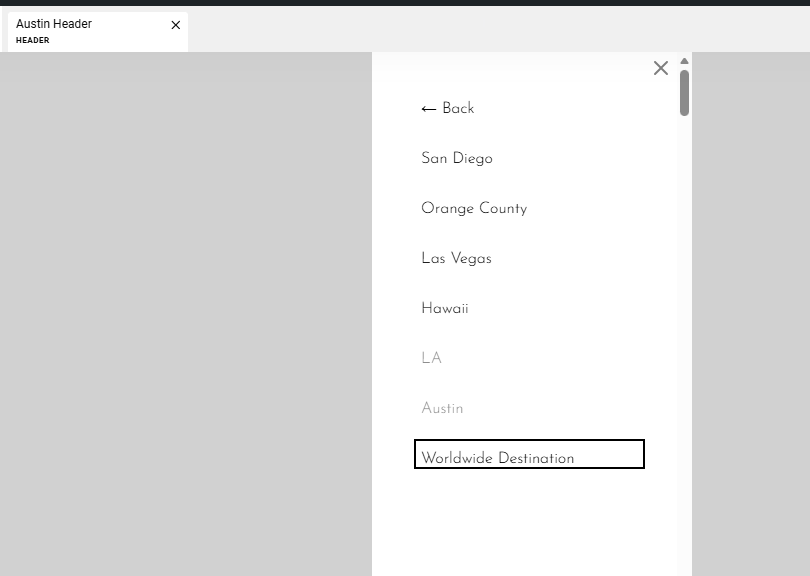

Please use private browsing mode or install another browser on your phone and check the menu again.
Thank you. yes, they link correctly to the home pages. But once you get into the Austin header or LA header on mobile it will take you to different pages. Please check the following when you open our website on your mobile: Home Page > Austin > Menu Bar > Services > Hair and Makeup > Scroll Down all words are San Diego including travel fees when those are not like that on the website. This does the same for LA
Hello Ashley,
I found out that your Austin Header is using the San Diego menu for smaller screens.


I went and changed the menus to their respective location menus. Kindly check the mobile menu now.
Cheers.
Thank you. However, now. the mobile menu is showing every single page that is added to the menu when I needed help with the saved version of the menus. IF you go to the Austin page and click on the hamburger menu it is very chaotic and nothing is under “header” menus and everything is just shown. Please advise

