Tagged: x
-
AuthorPosts
-
February 19, 2017 at 9:47 am #1377117
 PhillipParticipant
Hi. I’m having some trouble using Superfly, as it is asking me for a purchase code.
I previously did not have Superfly installed and installed it through the X Add-on page. When I install it on my child theme’s Add-on page, I can install Superfly. But when I activate it, it asks me for a purchase code in the Activate tab. In addition, when I navigate back to the Add-on page, it’s as if I never installed Superfly in the first place because it gives me the option to Install it again.
I tried switching to the parent theme and did the same thing. This time, it did not ask me for a purchase code. At this point, I activated the child theme and then went back to the Activate tab in Superfly. It then asks me for a purchase code again.
Can you advise? Thanks.
February 19, 2017 at 10:21 am #1377146 RupokMember
Hi there,
Thanks for writing in! Superfly is an Integrated Plugin of X. You don’t need to activate it to use with X and there is no license key provided for integrated plugins.
Cheers!
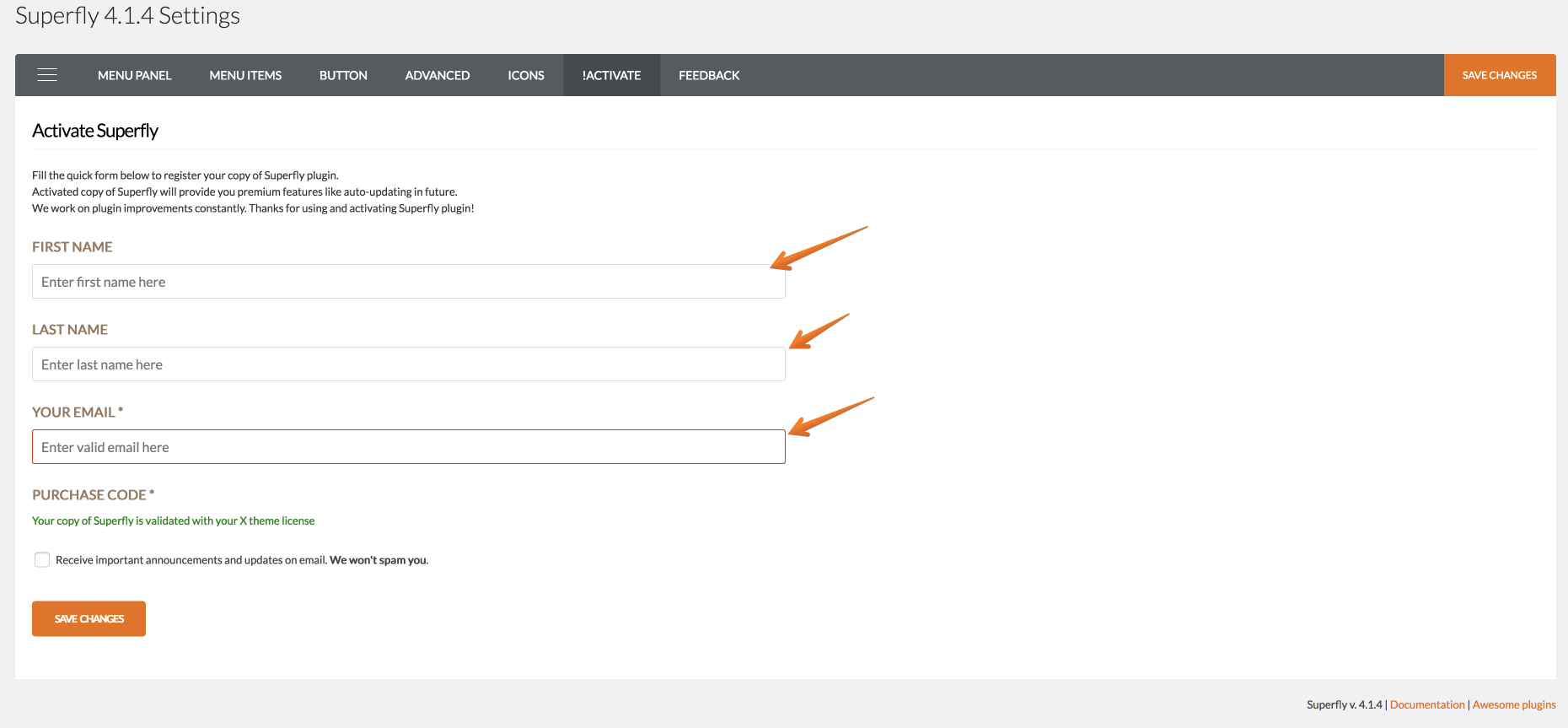
February 21, 2017 at 8:42 am #1379850PhillipParticipantRight. I should be seeing this https://s3.amazonaws.com/community-themeco/app/uploads/2016/10/24042044/activation-screen.png
However, I see that it asks for my purchase code.
February 21, 2017 at 9:09 am #1379913JoaoModeratorHi There,
Would you mind providing us with login credentials so we can take a closer look? To do this, you can make a post with the following info:
– Link to your site
– WordPress Admin username / password
– FTP credentialsDon’t forget to select Set as private reply. This ensures your information is only visible to our staff.
Thanks
-
AuthorPosts
- <script> jQuery(function($){ $("#no-reply-1377117 .bbp-template-notice, .bbp-no-topic .bbp-template-notice").removeClass('bbp-template-notice'); }); </script>