Tagged: x
-
AuthorPosts
-
April 19, 2016 at 4:53 pm #890838
 ZwaebackParticipant
Hi,
My Theme X automatic update is not working.
The response I get is – An error occurred while updating X: Update package not available.Three weeks ago I changed my domain from philjaeger.net to philjaeger.com on GoDaddy.
My Theme X license was also changed to philjaeger.net to http://philjaeger.com today.
The WordPress Site URL also is http://philjaeger.com in the General settings.
I cleared the Chrome browser and GoDaddy caches.
Thanks,
PhilApril 19, 2016 at 5:02 pm #890842ZwaebackParticipantI found this info.
I don’t see a button to revoke the validation in WordPress, but I did revoke the license and reassign it on the Theme.co site.
——————————————————————
Thanks for the updates. Could your please do the following:
1] Please go to X Addons > Home and revoke the validation.
2] Please login to your account and revoke the license.
3] After you have revoke the license, you need to re assign the license again to your site using this url: https://www.your-domain.com/. You have to make sure that url you just assign is the same as the one you have in your settings, Settings > General > Site Address
4] Go back to X Addons > Home again, and insert the license again.And please review the changes that we made on how you are going to validated your X theme because we made a big change in the process. Please check it out here: https://community.theme.co/kb/product-validation/
April 20, 2016 at 1:26 am #891285ZwaebackParticipant….
April 20, 2016 at 5:46 am #891558 ChristianModerator
Hey there,
Please try revoking and revalidating through Addons. See https://cloudup.com/ci5Bde6dK-c
Let us know how it goes.
Thanks.
April 20, 2016 at 1:05 pm #892246ZwaebackParticipantHi,
Thanks for including the video.
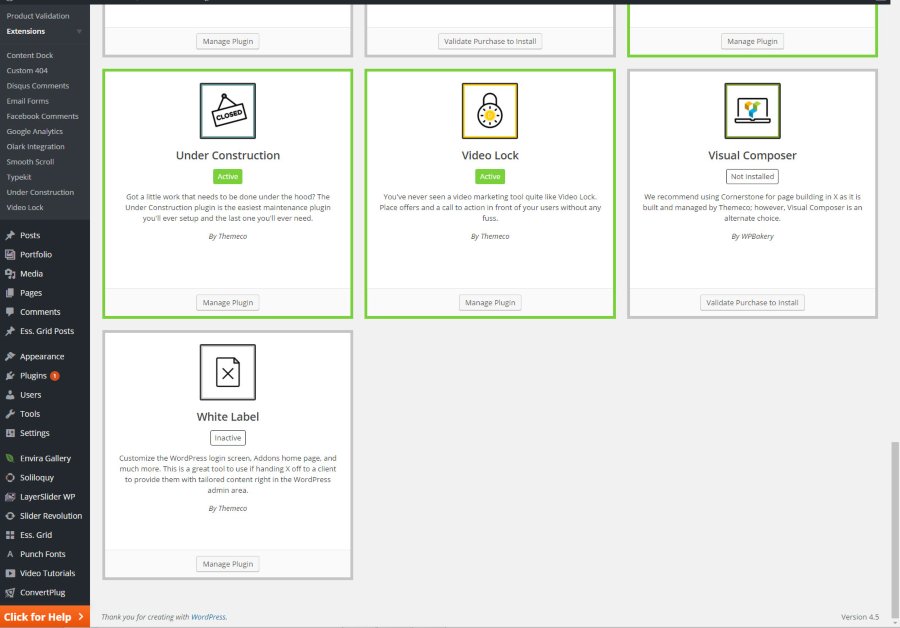
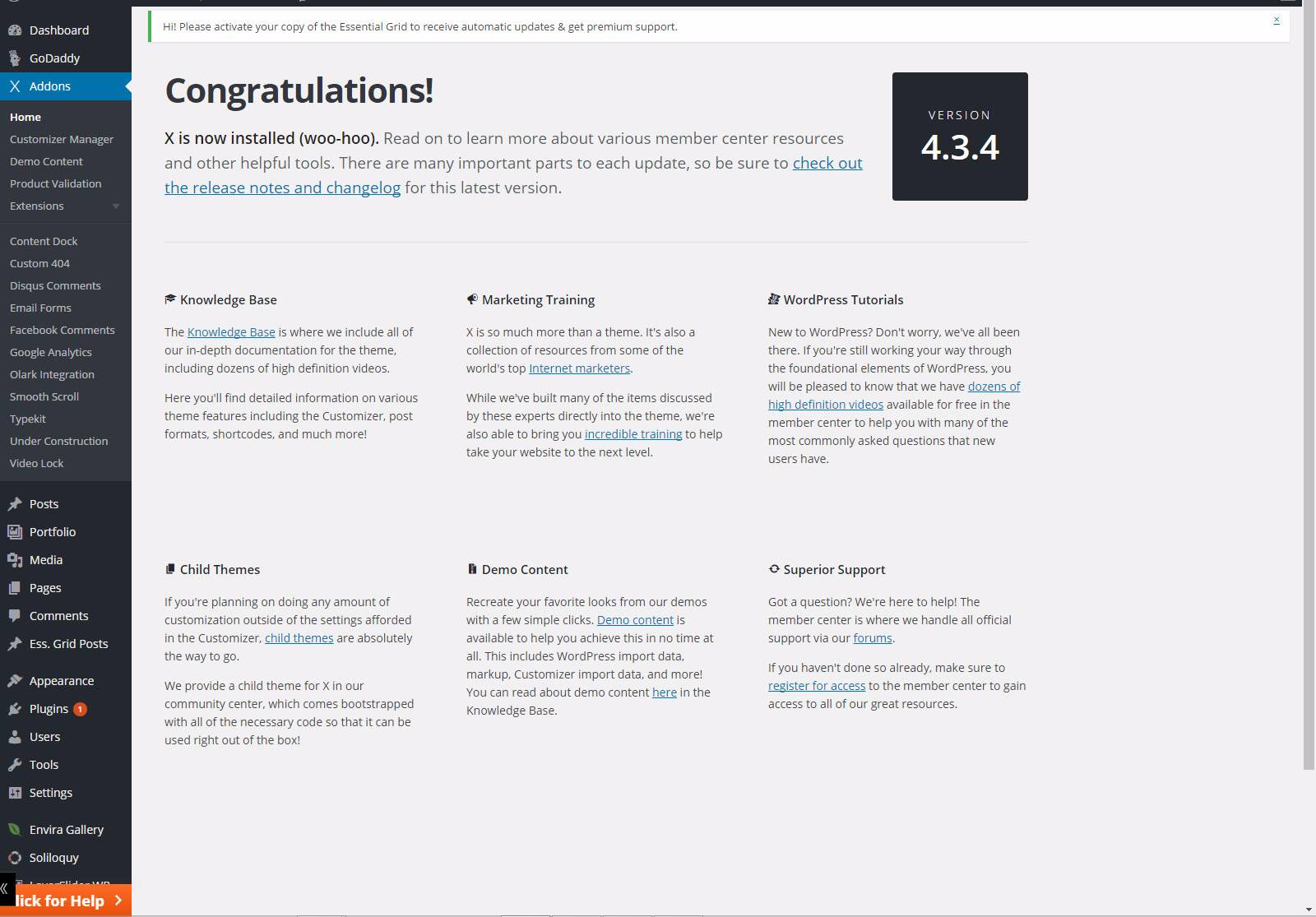
The WordPress installation that you show looks different than mine. There’s no revoking button on my installation.
Here’s a screenshot of the
Addons > Extensions
Addons > Home
 April 21, 2016 at 1:11 am #893091FriechModeratorApril 21, 2016 at 3:45 am #893283ZwaebackParticipant
Thanks for your help!
The manual update worked just fine.
April 21, 2016 at 10:12 am #893794 Giusi PParticipant
Hi I’m having the same issue. Trying to update and I get the following error message:
Enabling Maintenance mode…
Updating Plugin Cornerstone (1/1)
An error occurred while updating Cornerstone: Update package not available.
Disabling Maintenance mode…Which option should I go for?
April 21, 2016 at 10:14 am #893797Giusi PParticipantThis reply has been marked as private.April 21, 2016 at 10:46 am #893877RupokMemberHi @giusi_p
Thanks for updating the thread. But maybe you missed the last reply. There was a known bug on X 4.3.0 regarding the automatic update. If you are using that version or earlier, kindly update the theme manually for now. You can download the installable theme from themeforest or here – https://community.theme.co/dashboard/
You can just place the extracted theme folder x under wp-content/themes/ folder using FTP replacing the old theme folder.
Also please follow the installation video to understand it better – https://community.theme.co/kb/theme-installation/
After updating theme, everything should be fine and then update all other plugins.
Hope this helps.
Cheers!
-
AuthorPosts
- <script> jQuery(function($){ $("#no-reply-890838 .bbp-template-notice, .bbp-no-topic .bbp-template-notice").removeClass('bbp-template-notice'); }); </script>
