Tagged: x
-
AuthorPosts
-
March 14, 2017 at 3:00 am #1406023
 itsthehypeParticipant
So , here is an example of what I want to do. I am working on the band template. Anyway I have a home page version I am working on , and then a duplicate version , sometimes several duplicate versions to try different things.
Anyway , I have lets say a section , this one for instance has two embedded videos in the section. I tried looking thru the forums on how to do this and I came across this, https://community.theme.co/forums/topic/cornerstone-copying-a-section-to-another-page/
It says you should be able to do this :
 ,
, 
Here is what it looks like in my site:
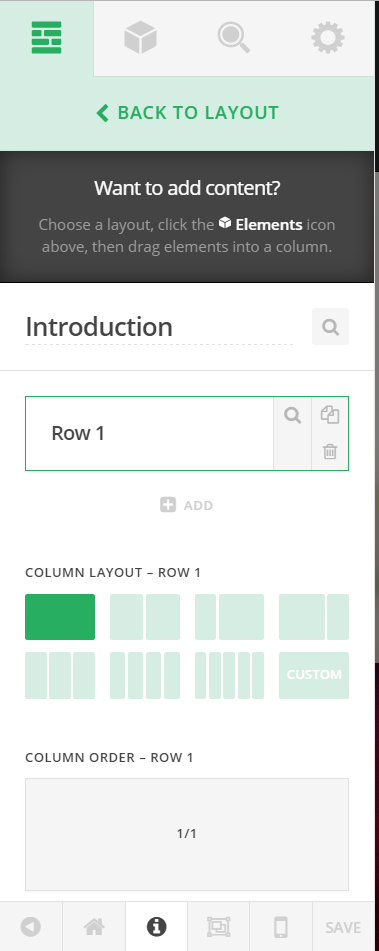
Please let me know what you think the issue is. Or the best way I can do this. another example would be a section where I am using “cards” , i have 12 of them , it would be nice if i could put those , or that sections on another page.
i can provide url and login info if that helps.
thanks so much for the help , love the theme , i am recommending it for many of my clients now.
March 14, 2017 at 3:07 am #1406028 NicoModerator
Hi There,
Thanks for writing in.
In this case, would you mind providing us with login credentials so we can take a closer look? To do this, you can make a post with the following info:
– Link to your site
– WordPress Admin username / password
– FTP credentialsDon’t forget to select Set as private reply. This ensures your information is only visible to our staff.
Thanks.
March 14, 2017 at 4:46 am #1406125itsthehypeParticipantThis reply has been marked as private.March 14, 2017 at 9:17 am #1406435ChristianModeratorNot sure what problem you’re facing as I tested creating and loading a template in your site and I experienced no issues. I created a test page here http://tbd.primalcreate.com/x-support-test/, saved it as a template block and loaded in http://tbd.primalcreate.com/x-support-import-template-block-test
Please review Cornerstone usage instructions in our Knowledge Base to learn how to setup.
Thanks.
March 14, 2017 at 10:19 am #1406523itsthehypeParticipantYes , when you create a new page it works no problem.
I figured out what I would need to do , unless there is an easier way the way i figured it out was the following.
If I wanted to save a specific block on a page that I am already working on , what I did was i made a duplicate of that page , then I deleted all the other sections and then i was able to save as block. Dont think i am able to just save a block in the middle of a page I am already working on.
Thanks
March 14, 2017 at 10:46 am #1406600RahulModeratorGlad you’ve sorted it out for yourself and thanks for sharing it.
Feel free to ask us again.
-
AuthorPosts
- <script> jQuery(function($){ $("#no-reply-1406023 .bbp-template-notice, .bbp-no-topic .bbp-template-notice").removeClass('bbp-template-notice'); }); </script>
