-
AuthorPosts
-
March 3, 2015 at 3:29 pm #219550
 logogloParticipant
Hi there, this is new to me, I used to be able to see this, but I don’t know weather it is your theme update or a wordpress update that has messed things up.
Basically. When you create a portfolio, you set the featured image for each item, this make a thumbnail in the portfolio page, then you click on it, and it gives you the full size image, which YOU CAN THE CLICK NEXT to show the next item in your portfolio.
My understanding is the image has to me linked to the media file.
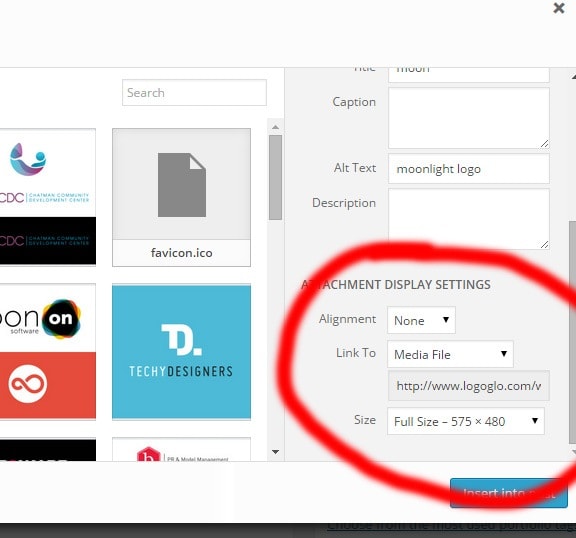
So, I can add media into a post and it gives me the ATTACHMENT DISPLAY SETTINGS. see this screenshot:
http://www.logoglo.com/wp-content/uploads/2015/03/1.jpg
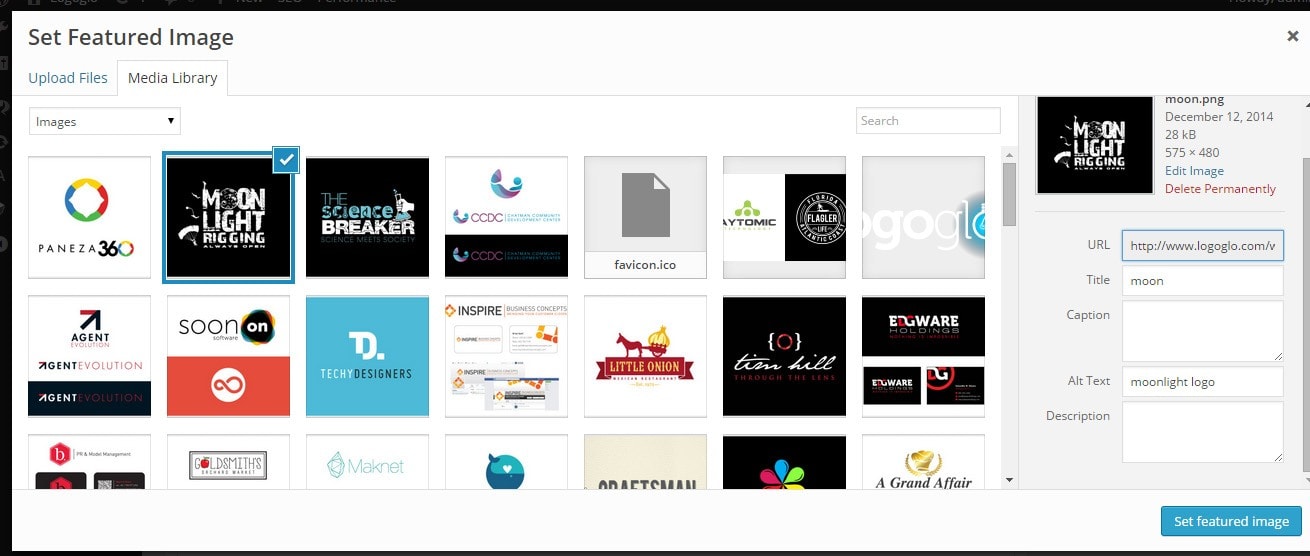
But now, when I go to click set featured image, in the portfolio item, the setting disappears, so it permalinks the image,and doesn’t allow me to click next to see the other images in the portfolio.
http://www.logoglo.com/wp-content/uploads/2015/03/2.jpg
HELP.
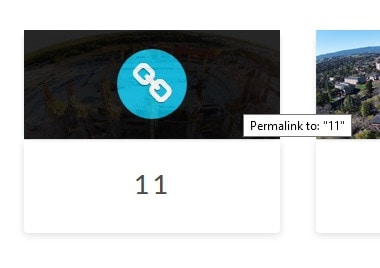
March 3, 2015 at 3:47 pm #219570logogloParticipantSo, in the portfolio page, when you hover over the thumbnail it says its permalinked:
http://www.logoglo.com/wp-content/uploads/2015/03/3.jpg
Where as before, when you set a featured image, it linked to the media file, and not permalinked.
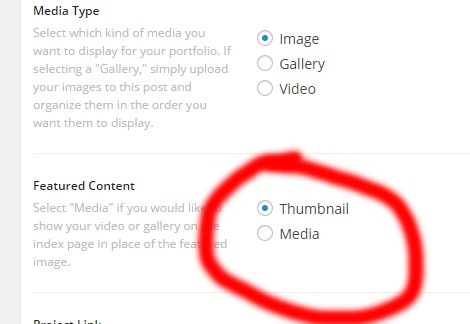
March 3, 2015 at 4:03 pm #219589logogloParticipantI think this was updated in your theme:
http://www.logoglo.com/wp-content/uploads/2015/03/4.jpg
It now has the option:
Featured Content
Select “Media” if you would like to show your video or gallery on the index page in place of the featured image.
Thumbnail
MediaBefore it did not, maybe this is messing things up?
March 3, 2015 at 11:58 pm #219819 Rue NelModerator
Hi There,
We think that you were confused with the ‘ATTACHMENT DISPLAY SETTINGS’ and the featured image settings. We would like you to try your local WordPress install, if you got one, to use twenty fifteen theme and see the difference between featured image and when you insert an image within a post.
What happens when you insert an image in a post is that it allows you to have a choice whether to put a link to your image or have a custom url to link to, the size, and even the alignment of the image. This is the attachment display settings. Things you might want to do with the image when you insert it in a post, you can do it here.
On the other hand, when you insert a featured image, it only have the attachment details. Those are the info about the image which you are about to insert as a featured image. Displaying the featured image depends on how the theme will display it. It will also depend on how it is link and where the link is going. Notice the difference of the featured image in Twenty Fifteen and our X theme. Even in the portfolio section, we displayed the featured image differently in different stacks that we have in x theme.
The setting we have select “media” if you would like to show your video or gallery on the index page in place of the featured image. is an added option to replace your featured image with a video. Again this is made custom for the theme.
We hope that you will find time in testing twenty fifteen theme or other default WordPress theme to see the attachment display settings and the featured image attachment details.
Thank you very much.
March 4, 2015 at 9:24 am #220162logogloParticipantOK, but can you explain why the portfolio is permalinking to the image instead of doing the normal thing in the portfolio?
It used to be simple, add a featured image, that would be you thumbnail, when you click it, it brought up a larger image, and if you had more items in the portfolio page, you could click next.
Now I do the same, and it says this when I hover over the thumbnail:
http://www.logoglo.com/wp-content/uploads/2015/03/3.jpg
And when I click the image, it doesn’t let me click next to show the other portfolio items.
March 4, 2015 at 10:17 am #220203logogloParticipantI may as well show you what I mean.
Here: http://www.logoglo.com/portfolio/ it works fine, I add a featured image, and the portfolio works fine, click on a thumbnail, and it brings up the larger image, then yu can click next to move through the portfolio.
Here:
I do EXACTLY the same to make the portfolio, but see what happens.
The ONLY difference is I have the d-drones setup on a network install, because its gonna have a duplicate in spanish.
March 4, 2015 at 6:30 pm #220508RadModeratorHi there,
It’s not linking to attachment page, this simply uses ethos http://www.logoglo.com/portfolio-item/soonon-2/ where page has two column (featured on left, description and other stuff on right). While this uses integrity http://www.d-drones.com/portfolio-item/11-2/ where featured is on top, and description and other stuff are on bottom.
The difference is layout per stack.
Check this integrity content with full content http://theme.co/x/demo/integrity/1/portfolio-item/sierra-farm/ (scroll it down if necessary).
Thanks!
-
AuthorPosts
- <script> jQuery(function($){ $("#no-reply-219550 .bbp-template-notice, .bbp-no-topic .bbp-template-notice").removeClass('bbp-template-notice'); }); </script>