Pro 3.0.4 - Nav Layered & Collapsed not opening on click in Mobile

Hi Team

On below landing page - please test via Mobile only - the Nav Button in the Header isn’t opening the Menu. I have replaced with both Nav Layered and Nav Collapsed to no avail for both. Is this a Bug?
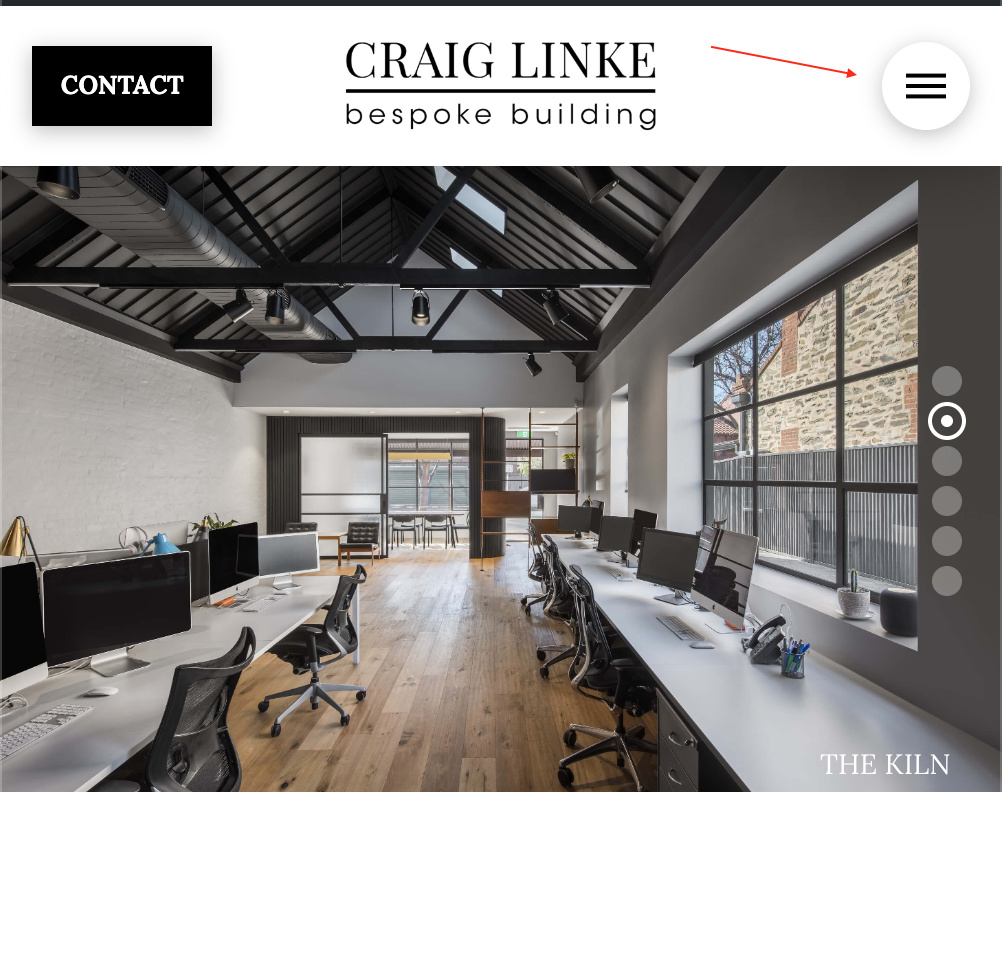
Please note the Nav opens okay on sub-pages as its rendering a different Header than the Landing Page…

I’ve cleared Browser cache, cleared Breeze, deactivated Breeze multiple times. Have cleared browser cache on the Phone as well and tried in Incognito.

Also to note - the Nav Button opens via a desktop browser / mouse click… it just doesn’t open when ‘tapped’ via a Phone.

Thanks
Sam
I’ve continued to try a whole bunch of other options with this, including removing the mobile bar entirely and adding a Modal Nav to the transparent bar. This still doesnt work.

Could it be something to do with the new Revolution Slider update?? Given its trying to load the menu over the top of the Slider on this page specifically (the Modal Nav works on all the other pages this Header is active… so its only not working on the Landing Page)

Also to note - the Gravity Form down the bottom of this landing page isn’t loading on Mobile either… which could also be linked to the issue…? See Support Ticket here:

Thanks
Sam

Hi Sam,

Have you changed anything in the past few hours? I think you might have fixed it. What you described sounded like a javascript conflict (could effect both the toggle and Gravity Forms).

I’ve checked your site on iOS with Safari and Chrome. I’ve also tried simulating mobile on desktop. The toggle works for me in all those cases. I’ve not had an issue opening it. Also, the Gravity Form is appearing just fine. Since this isn’t really related to the beta, I’m going to move this over to the normal support forum and we can continue assisting you there.

Hi Alex

Yep, I deactivated the Revolution Slider on mobile and the Nav Menu immediately began working, and the Gravity Form appeared as well. Definitely something to do with Rev Slider.

How best am I able to determine what needs to be done with the Rev Slider? Given the recent large update to Rev Slider I’m assuming is a settings change or something along those lines that needs to be sorted?

Definitely keen to have the Slider load on Mobile as well (showcases the Portfolio of work from the client).

Will provide access to the site via Secure Note.

Cheers,
Sam

Hey Sam,

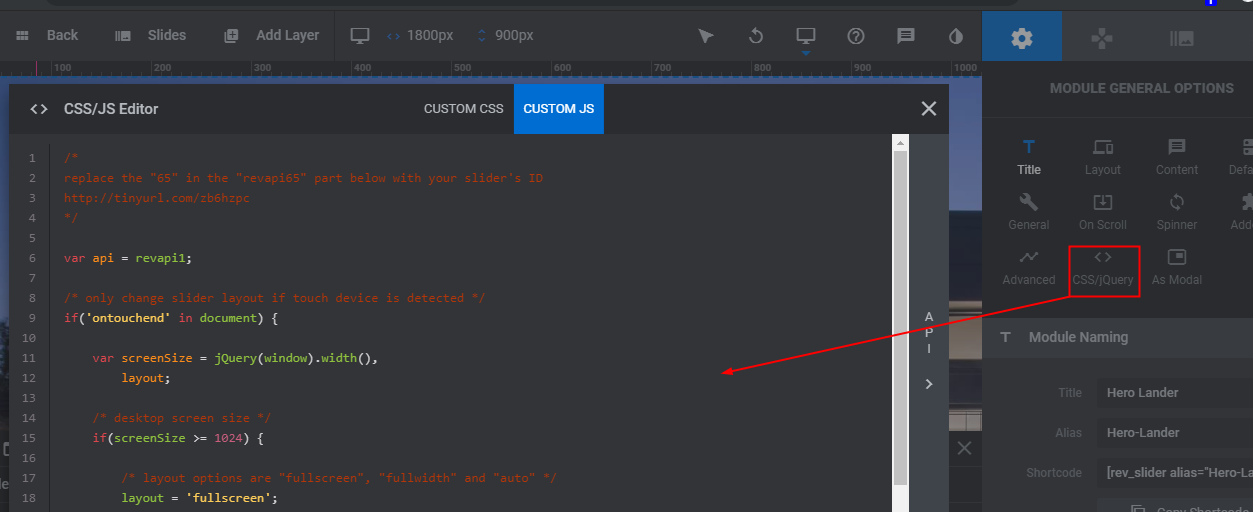
The issue is coming from the Custom JS. You need to remove it from your slider.

Hope that helps.

1 Like

Great thanks @christian_y that has worked perfectly. Didn’t even realise there was custom JS in there to begin with! :man_shrugging:

Cheers,
Sam

You’re must welcome,

Cheers!

1 Like

This topic was automatically closed 10 days after the last reply. New replies are no longer allowed.