Mobile Breakpoint Question

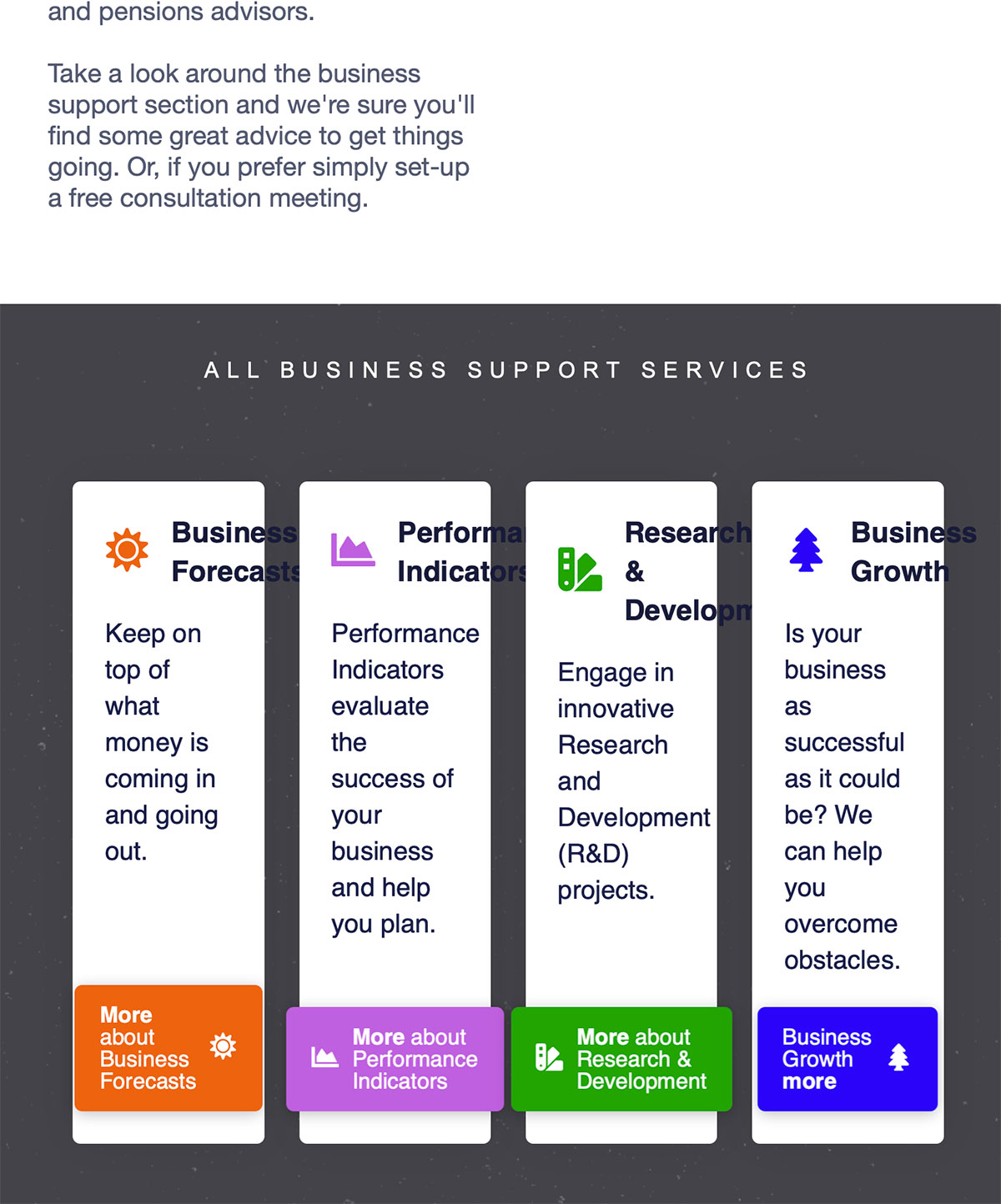
Hi, on several pages on my site such as https://www.steedman.co.uk/services/business-support/ in the section where it says ‘All business support services’ (also see screenshot for exact area of page) the headlines / titles are overflowing. When it displays on mobile everything works fine since each card area stacks vertically. However on slightly larger sizes (tablet, laptop) the breakpoint doesn’t seem to be working.

Wondering if there is any specific css I can add that can help fix this. If they need to stack vertically at a larger breakpoint that would be fine.

Thanks in advance for any suggestions.
Hello @russell3,

Thanks for writing in!

The columns will collapse when the screen is less than 768px. In your case, the 4 columns no longer have enough space to display the text headlines which is why it already goes out of bounds. To resolve this issue, please edit your page back in Cornerstone and insert the following custom css in the settings tab, Settings > Custom CSS

@media(min-width: 768px) and (max-width: 1200px){
    .bottom-buttons {
        display: block;
    }

    .bottom-buttons .x-column.x-1-4 {
        width: 48%;
        margin-bottom: 4%;
    }

    .bottom-buttons .x-column.x-1-4:nth-child(2n){
        margin-right: 0;
    }
}

We would loved to know if this has work for you. Thank you.

This topic was automatically closed 10 days after the last reply. New replies are no longer allowed.