Issues with editing the home page

Hello guys I have a little issue with editing the home page.

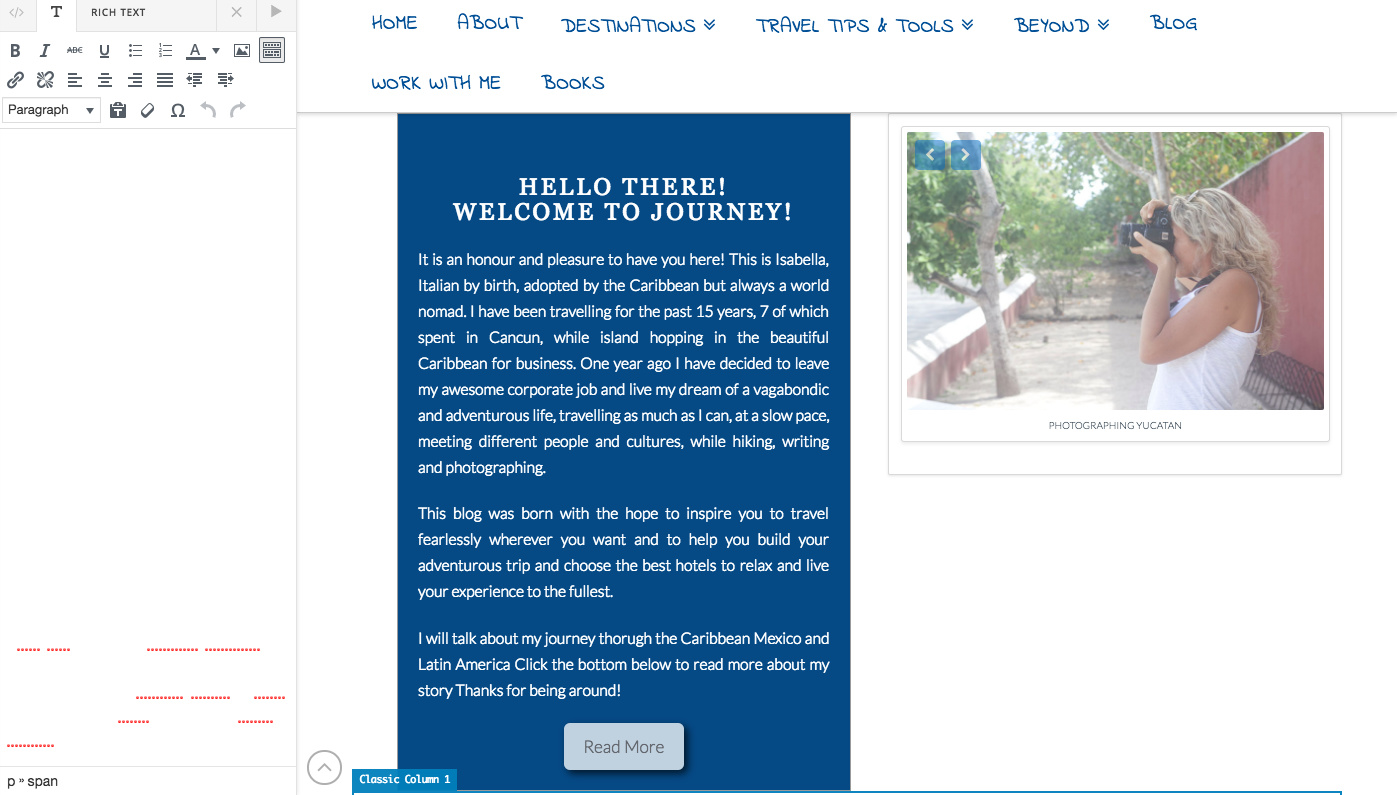
  1. the text doesnt’ show up when I want to change it ( about the blog columna) here is the screen shot

  2. there is a grey line between the 2 sections that I cannot manage to take out. I know it’s the back ground but why is it not covered by the sections ?

  3. there is a lot of space between the 2nd and third section (see screenshot) I cannot reduce it. all margins are at 0.
    do you have any suggestions?

    thanks a lot for your help
    cheers
Hello Isabella,

Thanks for writing in!

1.) The text in your recent post items were the actual post titles. If you want to change those, please go to Posts and find the post items. You will have to edit those post titles individually.

2.) The grey line is because of your incorrect margin values. You have inserted 0x which invalidates it and the default 1.313em takes effect instead.

3.) This is because some of your slide images is way longer than the others. To resolve this, please edit your page back in Cornerstone and insert the following custom css in the settings tab, Settings > Custom CSS

.x-flexslider-shortcode-container .x-flexslider-shortcode {
    height: auto;
    overflow: hidden;
}

We would loved to know if this has work for you. Thank you.

I am sorry my first question was referring to the second screen shot. The latest post element works fine.
in the second screen shot you can see the text box is white instead of my about me text

Hey Isabella,

The text is white and it is quite normal because you added a custom code that the text should be white. To edit the text easier and visible to the eyes, please switch to HTML (Code view) away from Rich Text format.

Hope this helps.

hey Rue,
it doesn’t let me switch to HTML :frowning:

Hi Isabella,

You will have to click the “</>” or the “T” to switch between editors. I was able to do that when I took the screenshot above.
Clear your browser cache first and test your site again.

Please let us know how it goes.

Yes of course. I can click on those but when I click on HTML it doesn’t work.
when I click on the T it is all white no text it is showing like the screenshot I have sent you above.

Hi Isabella,

Your text is white on a white background, so it is not visible.


Whereas if you change the text color to something different than white, we can clearly see the text.


But we understand, that you need the text to be white so we advise that you work with this text element in a HTML mode.


Hope this shed some lights,
Cheers!

oH MY GOD! how dumb of me! I am so sorry ;(

thanks al lot for your kind help.

You’re welcome, as always we are happy to assist you with this :slight_smile:

Cheers!

This topic was automatically closed 10 days after the last reply. New replies are no longer allowed.