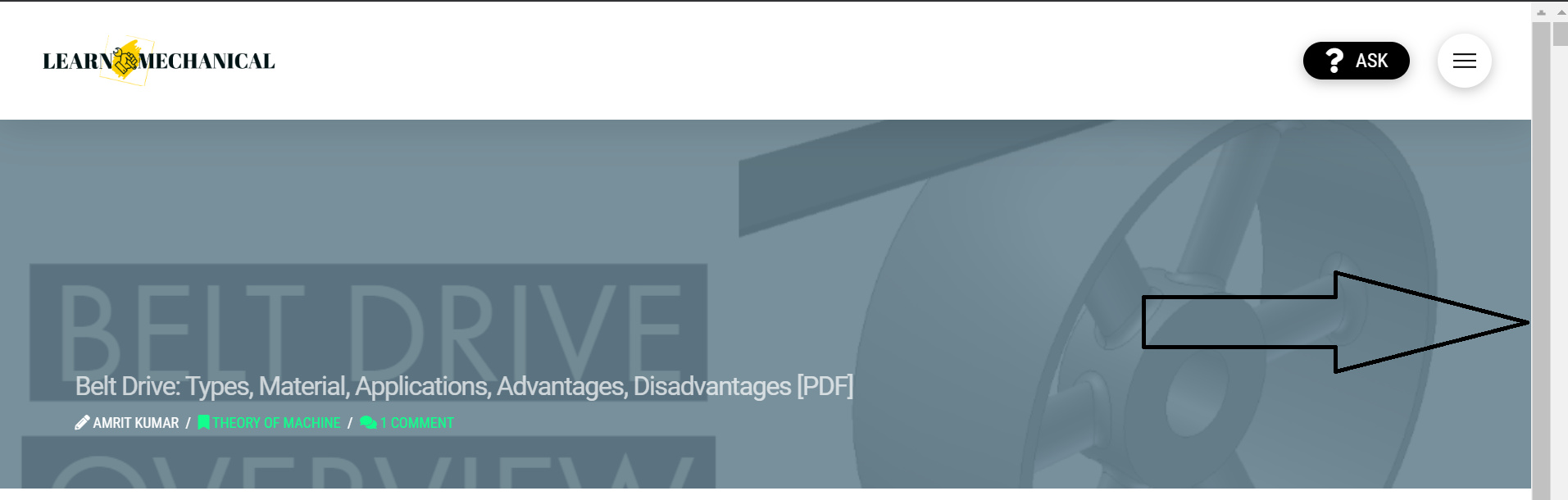
Hey, can you please help me, how I get rid of this extra scroll able bar?

I don’t know how but I see a double scroll bar. Can you please tell me how to remove this?

EDITED: However, I found a similar thread on this,

body {
overflow-x: visible;
}

By adding this CSS, it removed, but can you please tell me how this extra bar appears?
Hello Saswata,

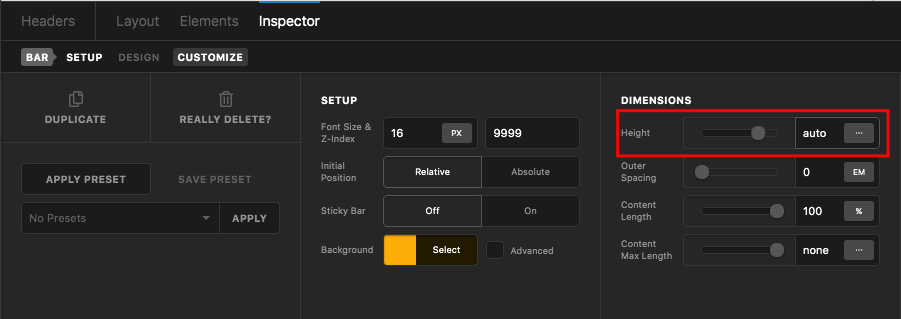
Thanks for posting in! Usually the extra scroll bar appears when you create a custom header or custom footer and have set a height in the bar that is way shorter than the actual height. Please edit your header or footer and in your bar settings, set the height to auto.

Hope this helps.

Hey @RueNel

Actually, I need a little shorter in height header bar, so if I change to auto, it is a little more. So is it okay to hide this bar using this CSS? or is it any issue?

body {
overflow-x: visible;
}

Hi Saswata,

It is not recommended to use that CSS code as it will affect the whole body tag which might have side effects on other parts of the website.

You need to find the height of the elements inside the bar that causes the scroll bar, try to limit the height of the elements inside.

I checked your website and it is not showing the double scroll bar at the moment.

Actually I used that CSS, that’s why it is hidden.

Hey Saswata,

Please remove the CSS and I’d strongly recommend that if you set the Bar height to auto like what Ruenel said but limit the height of the content of the bar like what Christopher said.

Factors that affects an element’s height are margins, paddings, font size, etc…

Thanks.

Thanks Everyone! I did that!

You’re welcome, Saswata.

This topic was automatically closed 10 days after the last reply. New replies are no longer allowed.