Hey @piccadillybooks,
I see that you could open your home page and new pages in Cornerstone but not the existing sub-pages.
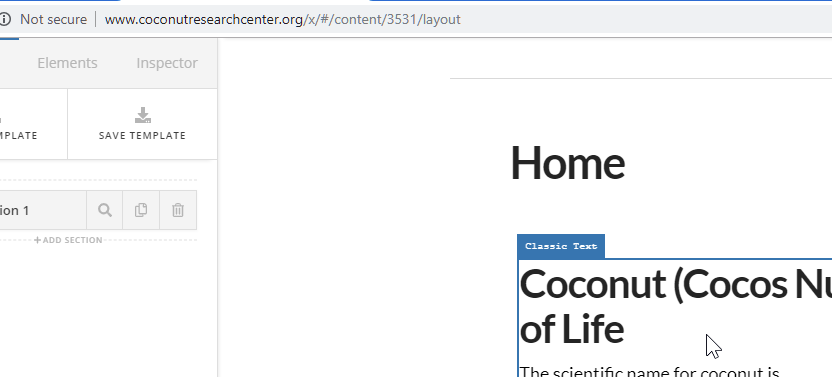

Regretfully, I currently could not completely do the troubleshooting procedures in your live site because of the risk of breaking in. Here’s the list that I’ve already tried but still the issue persists.
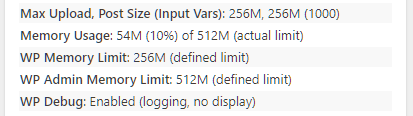
- I saw that your memory was low so I’ve increased the memory. I’ve installed the Server Status plugin to check if the increase took effect.
Before:

After:
-
I checked your htaccess file and there are left over W3TC rules so I renamed it to htaccess-bak and then resaved your Permalinks.
-
I enabled WP error logging and I see no error related to Cornerstone. You have an error log in the root folder of your site but it’s too big to download so I could not check it.

Now here are the additional possible solutions that we need you to perform. Please check if the issue persists after each suggestion.
-
Try testing for a plugin conflict. You can do this by deactivating all third party plugins, and seeing if the problem remains. If it’s fixed, you’ll know a plugin caused the problem, and you can narrow down which one by reactivating them one at a time.
-
Contact your host to upgrade to PHP 7 and increase your Max Execution Time to 300s.
-
Ask your host if they have a built-in caching system like Endurance Cache and request to deactivate it.
If the remaining suggestions does not solve this issue, please copy your site to a staging server preferably to a different web host so we could do some more testing without the risk of breaking your site. Please visit the link below to learn how to setup a staging site.
Thank you and we’re sorry that you’re having trouble with this.
 Any setting other than the custom seems to break cornerstone worse.


 I am off to bed as I have to work again in a few hours but I will check back first thing when I wake up. I have full faith in you to get it running correctly.


